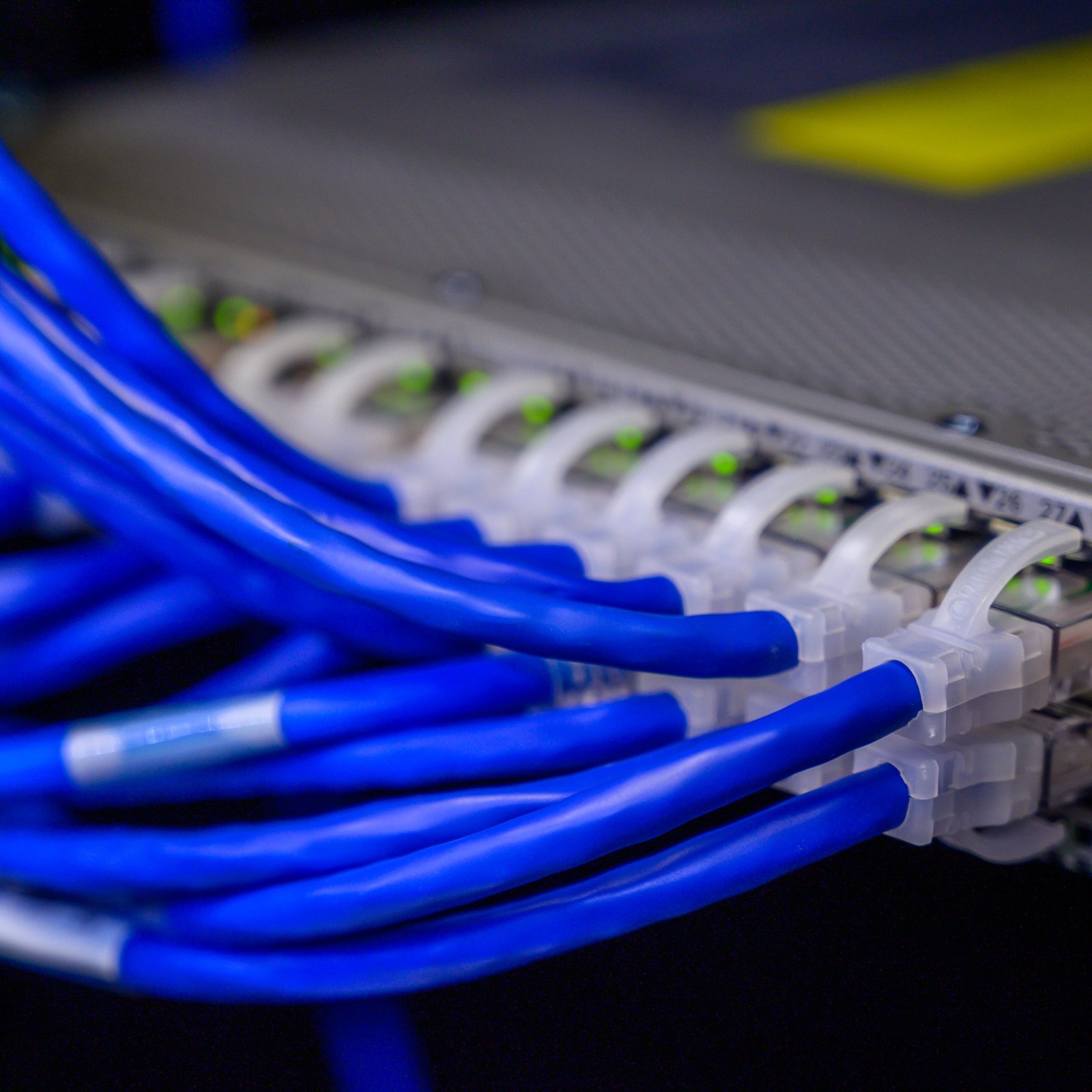
Many business owners assume all Ethernet cables deliver the same performance, yet uncertified cables show 25% higher failure rates causing costly disruptions. For small and medium businesses in Stockholm, understanding network cabling fundamentals and proper Ubiquiti Unifi integration can slash downtime by 35%. This guide reveals how quality cabling, professional installation, and centralized management transform network reliability while supporting your growth.

Table of Contents

Key Takeaways

PointDetails
Quality cabling reduces failuresCat6a and Cat7 cables with proper certification cut network downtime and support speeds up to 10 Gbps.
Professional installation mattersExpert setup ensures compliance, security, and simplifies future troubleshooting and expansion.
Unifi Controller centralizes managementManage hundreds of devices from one interface, reducing configuration time by 60%.
Structured cabling speeds fixesProper labeling and documentation slash troubleshooting time by 40%.
NaaS offers flexible solutionsFixed monthly costs cover maintenance, updates, and support without large upfront investments.

Introduction to Network Cabling Fundamentals

Selecting the right Ethernet cable category determines whether your business network can handle current demands and scale for tomorrow. Cat6 supports speeds up to 1 Gbps over 100 meters, adequate for basic office needs. Cat6a extends this to 10 Gbps over the same distance with improved shielding against electromagnetic interference. Cat7 offers even better shielding and future proofing, though it costs more.

Shielding quality separates business grade cables from consumer options. Unshielded twisted pair (UTP) works in low interference environments, but shielded twisted pair (STP) or foiled twisted pair (FTP) cables protect against electrical noise in buildings with heavy machinery or dense wireless traffic. Different Ethernet cable categories support varying speeds and shielding standards essential for business networks, directly impacting reliability.

Certification verifies cables meet performance standards for their category. Certified Cat6a guarantees 10 Gbps performance, while uncertified lookalikes may fail under load or distance. Business networks demand reliability that home setups don’t require because downtime costs revenue, damages reputation, and frustrates customers.

Key cable selection factors include:

  • Bandwidth requirements: Match cable category to current and projected data speeds
  • Distance considerations: Plan cable runs within category specifications to maintain speed
  • Environmental factors: Choose shielding appropriate for electrical interference levels
  • Certification status: Verify third party testing confirms performance claims
  • Future proofing: Select higher categories if expansion plans exist within five years

Understanding Ethernet cable types and performance helps you avoid costly mistakes that plague businesses using inadequate infrastructure. Quality cabling forms the foundation every other network component depends on.

Common Misconceptions About Network Cabling and Installation

The belief that all Ethernet cables perform identically costs businesses thousands in preventable downtime. A Cat5e cable purchased cheaply online may physically connect devices but fails to deliver consistent gigabit speeds or withstand interference. Uncertified cables show up to 25% higher failure rates causing inefficiencies in SMB networks, making the initial savings a false economy.

DIY installation seems straightforward until problems emerge. Running cables through walls without proper tools damages conductors. Failing to maintain bend radius specifications degrades signal quality. Skipping compliance with building codes creates safety hazards and voids insurance coverage. Property managers discover these issues when inspectors flag violations or when mysterious network problems resist simple fixes.

“We thought we saved money doing our own cabling until we lost two days of productivity to intermittent connection drops. Professional reinstallation cost less than the downtime.”

Poor cable management amplifies every network issue. Tangled cables in server rooms make identifying faulty connections nearly impossible. Unlabeled runs force technicians to trace each cable manually, turning a five minute fix into an hour long investigation. When your business needs to add capacity or relocate equipment, disorganized cabling multiplies the effort and expense.

The risks of uncertified cables and DIY installation extend beyond immediate technical failures:

  • Security vulnerabilities: Improper grounding and shielding expose networks to eavesdropping
  • Scalability limits: Inadequate cable categories require complete replacement for upgrades
  • Warranty invalidation: Equipment manufacturers deny claims for damage from substandard cabling
  • Compliance violations: Building codes and insurance policies mandate professional installation standards
  • Hidden costs: Emergency service calls and productivity losses exceed professional installation fees

Research shows the total cost of network failures from improper cabling includes lost productivity, emergency service fees, equipment replacement, and potential data loss. A study on uncertified cabling risks found businesses spend three times more correcting DIY mistakes than investing in proper installation initially.

Integrating Ubiquiti Unifi Systems with Professional Cabling

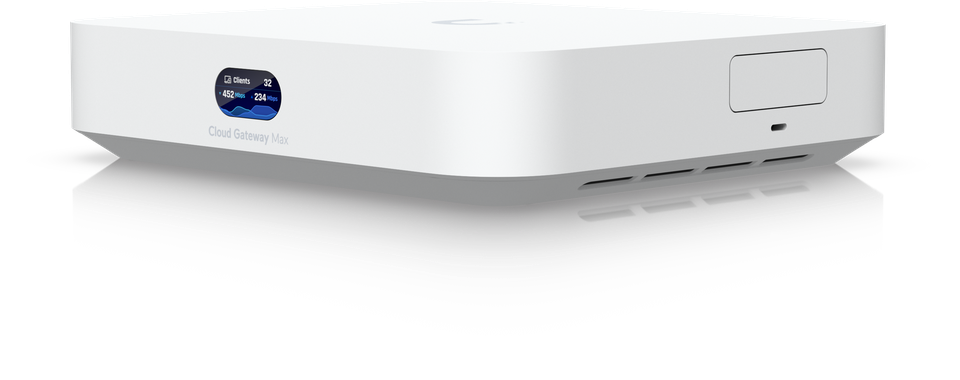
Ubiquiti Unifi transforms network management from a device by device headache into centralized control through the Unifi Controller software. This interface displays all access points, switches, and gateways on a single dashboard. You configure settings, monitor traffic, and troubleshoot issues without accessing each device individually. Unifi Controller manages hundreds of devices centrally, reducing configuration time by up to 60% compared to traditional methods.

VLAN configuration through Unifi Controller segments your network into isolated virtual networks. Guest WiFi operates on a separate VLAN from employee devices, which differs from your point of sale systems VLAN. This segmentation contains security breaches and prevents unauthorized access to sensitive systems. A compromised guest device cannot reach your financial data when VLANs properly isolate traffic.

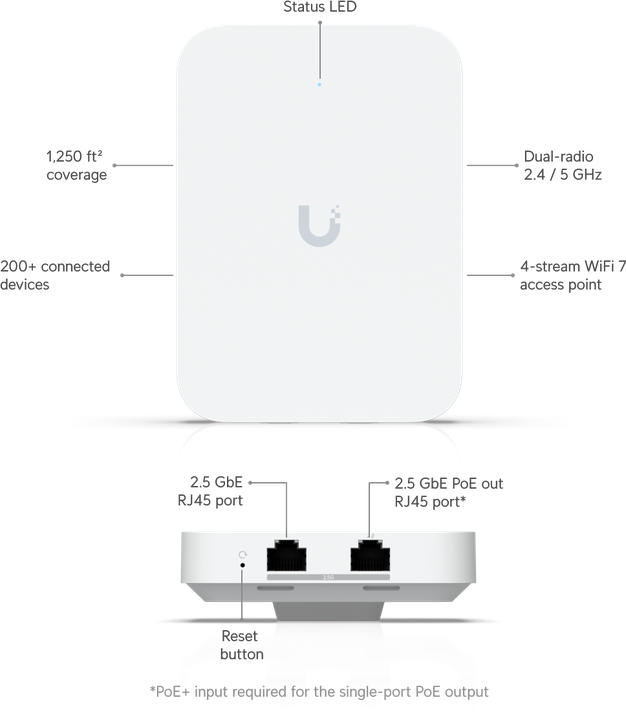
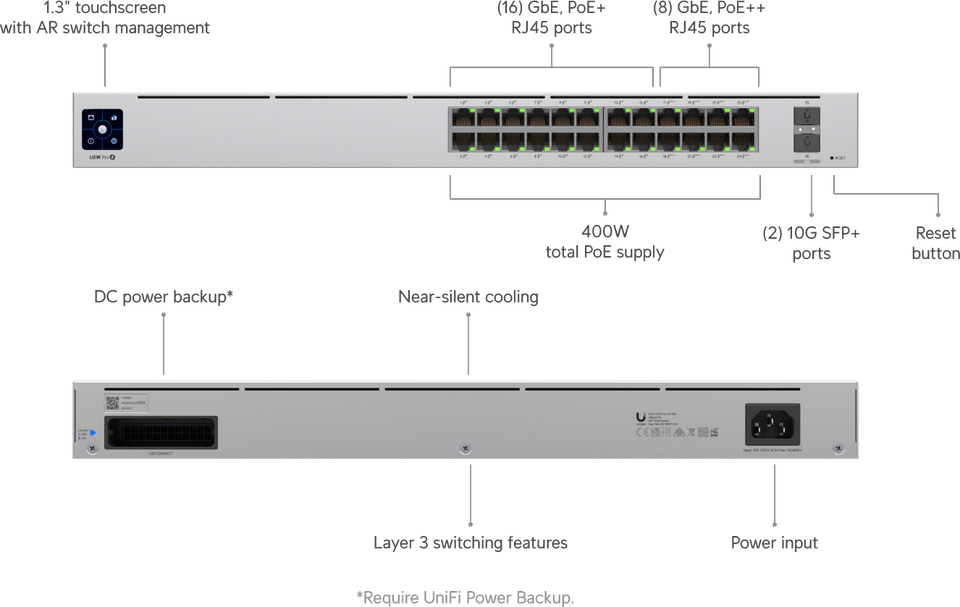
Cat6a cabling unlocks Unifi hardware’s full potential. Unifi access points like the U6 Enterprise support multi gigabit speeds that Cat5e cannot deliver reliably. Unifi switches with 10 Gbps uplink ports require Cat6a or better to avoid bottlenecks. Underspecified cabling forces expensive hardware to operate below capacity, wasting your investment.

Professional cabling ensures optimal Unifi performance through:

  • Proper power delivery: PoE++ access points need quality cables for stable 802.3bt power
  • Reduced latency: Certified cables minimize packet loss and retransmission delays
  • Clean signal paths: Professional routing avoids interference affecting wireless backhaul
  • Future compatibility: Higher category cables support upcoming Unifi hardware releases

The centralized Unifi management features depend on reliable physical infrastructure. A misconfigured cable run creates intermittent connectivity that appears as controller or access point failures. Understanding the importance of quality cabling for Unifi prevents misdiagnosing infrastructure problems as equipment defects.

Unifi’s scalability shines when proper cabling exists. Adding a new access point requires connecting one cable and adopting the device in Controller. Expanding capacity with additional switches works seamlessly when cable plant supports it. This flexibility helps Stockholm businesses grow without network overhauls.

Best Practices in Network Cabling Installation and Management

Structured cabling installation follows a systematic approach that pays dividends for years. Professional installers survey your space, plan cable routes avoiding interference sources, and document every connection before pulling a single cable. This preparation prevents the improvised chaos that plagues amateur installations.

Follow these steps for reliable cable installation:

  1. Map your network topology including device locations, switch positions, and cable paths to identify the most efficient routes
  2. Select appropriate cable paths through conduits, cable trays, or plenum spaces that meet building codes and minimize interference
  3. Maintain proper bend radius of at least four times cable diameter to prevent conductor damage and signal degradation
  4. Bundle cables loosely using velcro straps rather than zip ties which can crush conductors when overtightened
  5. Terminate connections carefully ensuring all eight conductors maintain proper pair twist right to the connector
  6. Test each cable run with certification equipment verifying performance meets category specifications before final installation
  7. Label both ends clearly with unique identifiers matching your documentation for instant identification during maintenance
  8. Document everything in digital formats including photos, diagrams, and cable schedules accessible to future technicians

Cable labeling and documentation accelerate troubleshooting dramatically. Structured cabling with labeling reduces troubleshooting time by up to 40% in business networks because technicians immediately identify connections without tracing.

Rack and patch panel setup organizes your network infrastructure. Mount switches and patch panels at comfortable working height. Route cables through vertical and horizontal cable managers to prevent tangling. Leave service loops at both ends allowing equipment movement without re terminating cables. Color code patch cables by function so voice, data, and management networks stand out visually.

Network installer labeling patch panel cables

Pro Tip: Route cables away from fluorescent lighting, electrical conduits, and motors which generate electromagnetic interference. Crossing power cables at 90 degree angles minimizes inductive coupling when separation is impossible.

Cable Management TechniqueBenefitImplementation Effort
Color coded labelingInstant visual identificationLow
Digital documentationRemote troubleshooting supportMedium
Cable management armsClean appearance and airflowMedium
Vertical cable managersOrganized patch panel accessLow
Service loopsEquipment flexibilityLow
Certification testingPerformance verificationHigh

Investing in structured cabling and documentation best practices transforms your network from a liability into an asset that supports business operations reliably.

Infographic showing SMB cabling benefits and results

Practical Benefits of Professional Installation and Network as a Service

Professional network installation delivers measurable business value beyond technical correctness. Experienced technicians complete installations faster with fewer errors, minimizing disruption to daily operations. They bring specialized tools for cable certification, proper termination, and testing that amateur installers lack. Professional installations reduce network downtime by an average of 35% in SMBs through superior workmanship and preventive design.

Network as a Service (NaaS) models suit Stockholm businesses wanting enterprise quality networks without capital expenditure. You pay a fixed monthly fee covering equipment, installation, monitoring, maintenance, and upgrades. The service provider handles everything from initial design through ongoing support. Budgeting becomes predictable since unexpected repair costs disappear.

NaaS advantages include:

  • Lower initial investment eliminating equipment purchase and installation project costs
  • Proactive monitoring detecting and resolving issues before users notice problems
  • Included upgrades ensuring access to latest Unifi hardware and security patches
  • Scalable capacity adding access points or switches as your business grows
  • Expert support providing immediate assistance without hiring dedicated IT staff

A Stockholm property management company switched from DIY networking to professional Unifi installation with NaaS. They eliminated recurring connectivity complaints from tenants, reduced emergency service calls by 80%, and freed internal staff to focus on core business activities. The monthly NaaS fee cost less than their previous annual troubleshooting expenses.

Pro Tip: Calculate total cost of ownership including your time spent troubleshooting, emergency service calls, equipment replacement, and productivity losses. Professional services often cost less than the hidden expenses of DIY networking.

The benefits of NaaS for SMBs extend beyond technology into business strategy. Predictable costs, guaranteed uptime, and professional support let you focus resources on revenue generation instead of infrastructure management. Professional networking advantages include access to expertise most small businesses cannot afford to hire full time.

Security improves dramatically with professional installation. Technicians configure VLANs properly, enable WPA3 encryption, implement guest network isolation, and apply security updates systematically. They document configurations so audits and compliance verification proceed smoothly. This attention to security details protects your business from breaches that destroy customer trust.

Professional Network Cabling and Unifi Solutions in Stockholm

Ready to eliminate network headaches and boost reliability? Natverkstekniker.se delivers expert network cabling and Ubiquiti Unifi installation tailored for Stockholm businesses and property managers.

https://natverkstekniker.se

Our certified technicians plan, install, and configure complete network solutions from Cat6a cabling through Unifi access points, switches, and centralized management. We handle everything including rack setup, VLAN configuration, documentation, and ongoing support. Our Unifi installation guide approach ensures your network performs flawlessly from day one. Get reliable, secure, and scalable networking with network installation services in Stockholm that grow with your business.

Boka Tid today for a consultation and discover how professional installation transforms your network reliability.

Contact us directly:

08 400 117 26

kontakt@natverkstekniker.se

Let our team show you why Stockholm businesses trust Natverkstekniker.se for networking excellence. Contact Natverkstekniker for expert network help and start experiencing the difference professional service makes.

FAQ

What category of Ethernet cable is best for growing SMBs?

Cat6a provides the best balance of performance and value for most growing businesses. It supports 10 Gbps speeds over 100 meters, offers superior shielding against interference, and handles future bandwidth demands without requiring replacement. Choose Cat7 only if your environment has extreme interference or specific compliance requirements.

How do VLANs increase security in Unifi networks?

VLANs segment your network into isolated virtual networks preventing unauthorized access between segments. Guest WiFi cannot reach employee devices or servers when properly configured VLANs control traffic flow. This containment limits breach damage if one segment becomes compromised, protecting sensitive business data and customer information.

Can professional installation reduce unexpected network downtime?

Yes, professional installation reduces downtime by an average of 35% through proper cable selection, certified terminations, structured documentation, and compliance with standards. Experienced technicians prevent common mistakes causing intermittent failures and design networks for reliability rather than just connectivity. The upfront investment saves significantly on emergency repairs and lost productivity.

What maintenance does a professional cabling service offer?

Professional services provide ongoing monitoring, firmware updates, performance optimization, documentation updates, and rapid troubleshooting when issues arise. Many offer Network as a Service including equipment replacement, capacity expansion, and security patches as part of fixed monthly fees. This proactive approach prevents problems rather than just reacting to failures.

Is centralized Unifi management difficult for non IT staff?

Unifi Controller offers an intuitive interface that non technical staff can navigate with basic training. The dashboard visualizes network status clearly, common tasks use simple wizards, and the mobile app enables monitoring from anywhere. Most business owners manage their Unifi networks confidently after a brief orientation session with their installer.