Unstable connections, dead zones, and security vulnerabilities plague countless homes and businesses across Sweden. Managed Wi-Fi with Ubiquiti Unifi transforms unreliable networks into professional-grade systems that deliver consistent performance and peace of mind. This guide reveals how centralised management, expert installation, and ongoing support create networks that simply work, every time.

Table of Contents

Key takeaways

PointDetails
Managed Wi-Fi improves stabilityProactive monitoring cuts outages in half through continuous support and updates.
Professional installation mattersExpert placement and quality cabling eliminate dead zones whilst maximising coverage and speed.
Centralised control boosts securityVLANs and unified management protect networks from threats through segmentation and real-time monitoring.
Scalability supports growthAdding devices and coverage areas happens seamlessly without disrupting existing network functions.
Ongoing support ensures reliabilityContinuous monitoring and maintenance keep networks optimised and secure long-term.

Understanding managed Wi-Fi and its importance

Managed Wi-Fi represents a complete network solution where professionals handle installation, configuration, monitoring, and maintenance. Unlike consumer routers you plug in yourself, managed systems use centralised platforms like the Unifi Controller to oversee every access point, switch, and security setting from one dashboard.

Unmanaged networks rely entirely on users to configure devices, troubleshoot issues, and update firmware. Most homeowners and small businesses lack the expertise to optimise channel selection, implement proper security protocols, or diagnose interference problems. The result? Frequent dropouts, vulnerable passwords, and coverage gaps that frustrate users daily.

Swedish homes and SMBs commonly face these challenges:

  • Dead zones where Wi-Fi signals fail to reach
  • Unstable connections that drop during video calls
  • Security risks from outdated firmware and weak encryption
  • Slow speeds despite paying for high-bandwidth internet
  • No technical support when problems arise

These pain points stem from lack of professional oversight. Managed Wi-Fi addresses each issue through expert planning, quality hardware, and continuous monitoring that prevents problems before users notice them.

The benefits of UniFi controller platforms become clear when comparing network uptime. Professional management means someone actively watches for anomalies, applies security patches promptly, and adjusts configurations as usage patterns evolve. You focus on work or home life whilst specialists ensure your network performs flawlessly.

Core benefits of managed Wi-Fi with Ubiquiti Unifi

Ubiquiti Unifi’s centralised Controller dashboard transforms network management from reactive firefighting to proactive optimisation. This single interface displays every connected device, traffic pattern, and performance metric across your entire network. Administrators adjust settings, push firmware updates, and resolve issues without visiting individual access points.

Reliability improves dramatically through professional configuration. Experts set optimal channel widths, transmission power levels, and roaming parameters that consumer equipment handles poorly. The result is fewer disconnections, faster handoffs between access points, and consistent speeds throughout your space.

Security strengthens through VLAN implementation and network segmentation. Creating separate virtual networks for guests, IoT devices, and critical systems prevents compromised smart bulbs from accessing business data. The Controller enforces firewall rules, monitors suspicious traffic, and alerts administrators to potential threats immediately.

Quick troubleshooting becomes possible through detailed monitoring tools. When users report slow speeds, administrators check real-time graphs showing channel utilisation, client signal strength, and bandwidth consumption. Issues that would take hours to diagnose resolve in minutes with proper visibility.

Scalability allows adding devices and coverage zones without disrupting existing services. Adopting another access point involves mounting hardware, connecting cables, and letting the Controller automatically provision settings. No manual configuration, no downtime, no complexity.

Infographic summarizes managed Wi-Fi benefits

Pro Tip: Enable automatic firmware updates through your Controller during off-peak hours to maintain security without manual intervention.

The UniFi controller advantages extend beyond basic management. Advanced features like guest portal customisation, bandwidth limiting per client, and deep packet inspection provide enterprise capabilities at SMB pricing. Swedish businesses gain Unifi network security features previously available only to large corporations.

Future-proof Unifi networks support Wi-Fi 6 and upcoming standards through hardware upgrades whilst retaining centralised management. Investment protection comes from platforms that evolve rather than requiring complete replacement.

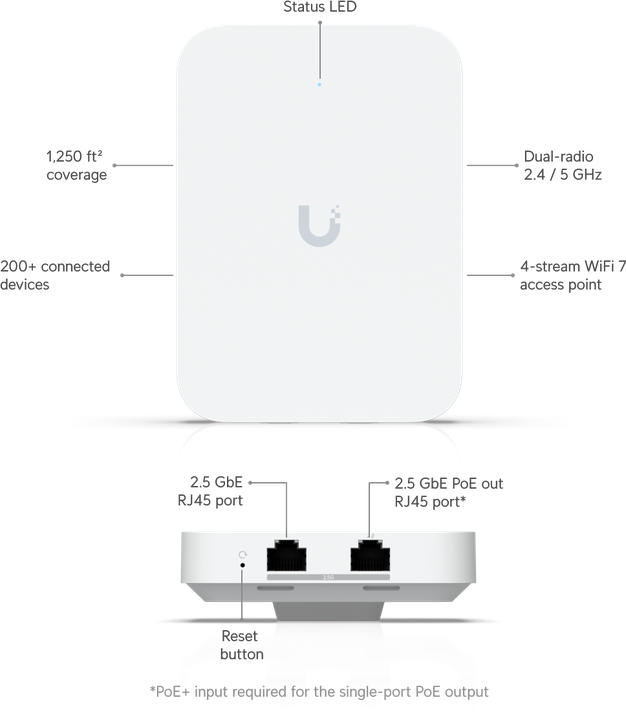
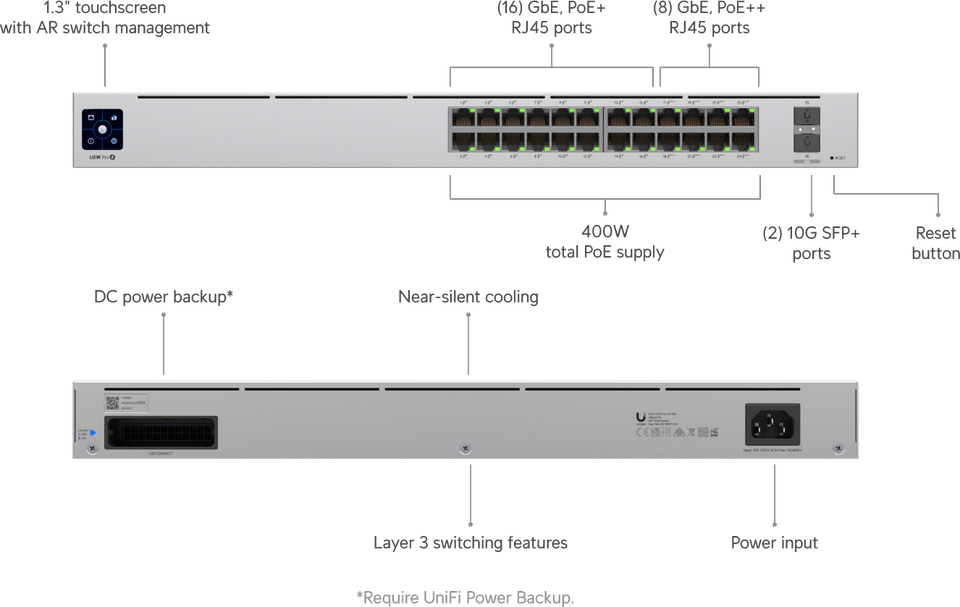
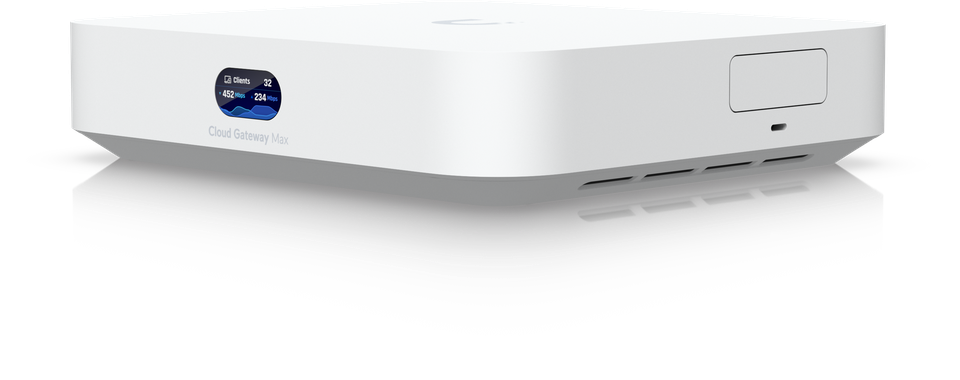
Explore Ubiquiti Unifi network features to understand the full ecosystem of switches, gateways, and access points working together seamlessly.

The role of professional installation and cabling

Optimal access point placement eliminates dead zones whilst avoiding interference and capacity issues. Professionals conduct site surveys measuring wall materials, identifying interference sources, and mapping user density. Mounting locations consider ceiling height, structural obstacles, and aesthetic requirements often overlooked in DIY installations.

Technician routes cables for Wi-Fi setup

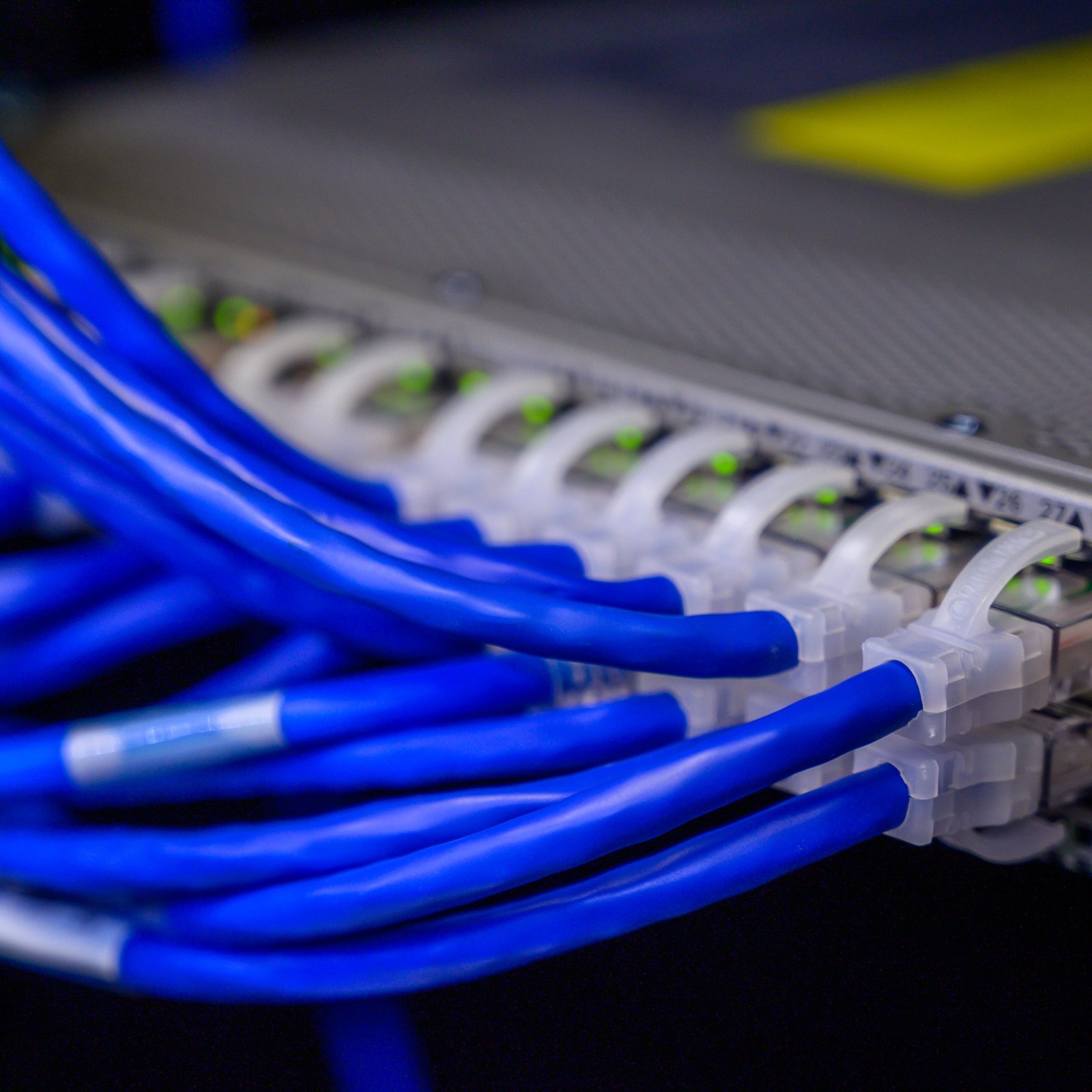
Cabling quality directly impacts network performance and longevity. Cat6a or Cat7 cables significantly improve speed and reliability compared to older Cat5e standards. Shielded variants reduce electromagnetic interference in environments with electrical equipment, maintaining gigabit speeds over longer distances.

Proper labelling and documentation seem mundane but prove invaluable during maintenance. Technicians quickly identify which cable serves each access point, switch port, or workstation. Clear records prevent accidental disconnections and speed troubleshooting when issues arise.

Professional installation increases stability through attention to detail. Cables route through conduits avoiding sharp bends that damage internal conductors. Connections terminate with proper crimping tools rather than cheap connectors that corrode. Mounting hardware supports equipment weight safely for years.

Future upgrades become straightforward when infrastructure follows best practices. Adding PoE switches or upgrading to multi-gig connections works smoothly with quality cabling already in place. Retrofitting poorly installed networks costs far more than doing it right initially.

Pro Tip: Request a comprehensive site survey before installation to customise access point placement and cabling routes for your specific space and usage patterns.

The network cabling importance extends beyond raw speed. Reliable physical infrastructure prevents intermittent issues that waste hours troubleshooting. Understanding network cable types guide helps you specify appropriate materials for your environment.

Comparing managed Wi-Fi with DIY and other solutions

Cost analysis reveals managed Wi-Fi delivers superior long-term value despite higher initial investment. DIY systems seem cheaper upfront but hidden costs accumulate through downtime, security breaches, and time spent troubleshooting. Professional solutions prevent expensive problems rather than reacting after damage occurs.

FeatureManaged Wi-FiDIY/ConsumerUnmanaged Business
Initial costMedium to highLowMedium
Ongoing supportIncludedNonePay per incident
Security updatesAutomaticManualManual
ScalabilitySeamlessDifficultModerate
Professional installationYesNoOptional
Centralised managementYesNoLimited
Average annual downtimeUnder 4 hours20+ hours10-15 hours
Security incident responseImmediateUser-dependentDelayed

Scalability advantages become apparent as networks grow. Managed systems add capacity through coordinated expansions that maintain performance. DIY networks often require complete replacement when outgrowing initial hardware. Business-grade unmanaged equipment offers some expansion but lacks unified control.

Support responsiveness dramatically differs between approaches:

  • Managed Wi-Fi provides guaranteed response times through SLAs
  • DIY users search forums and hope for helpful strangers
  • Unmanaged business systems require costly per-incident technician visits

Operational efficiency improves through centralised troubleshooting and maintenance. Managed services diagnose issues remotely, often resolving problems before users report them. DIY troubleshooting consumes hours testing components and reading technical documentation. Unmanaged systems require on-site visits for basic configuration changes.

Security gaps plague unmanaged approaches. Consumer routers ship with default passwords users never change. Firmware updates release monthly but most owners never install them. Managed Wi-Fi enforces strong authentication, applies patches automatically, and monitors for compromised devices continuously.

How to implement managed Wi-Fi with Natverkstekniker.se

  1. Conduct detailed needs assessment and planning. Specialists evaluate your space, user count, bandwidth requirements, and security concerns. Site surveys map optimal equipment placement whilst identifying potential interference sources or structural challenges.

  2. Professional installation of Unifi devices and cabling. Certified technicians mount access points, run quality cabling, and install switches following industry standards. Every connection terminates properly with documentation for future reference.

  3. Network configuration including VLANs and security settings. Engineers create separate networks for different user groups, implement firewall rules, and configure guest access with appropriate restrictions. The Controller platform manages all devices from one interface.

  4. Commissioning with optimisation for coverage and speed. Technicians test signal strength throughout your space, adjust transmission power, and fine-tune channel selection. Performance validation ensures you receive the speeds and coverage promised.

  5. Ongoing monitoring and SLA-backed support services. Continuous oversight detects anomalies, applies security updates, and resolves issues proactively. Guaranteed response times provide peace of mind knowing help arrives quickly when needed.

The Ubiquiti Unifi installation guide offers detailed insights into the technical process. Contact Natverkstekniker to discuss your specific requirements and timeline. Their Unifi network installation guide demonstrates the professional approach that separates reliable networks from frustrating ones.

Booking your consultation starts the journey toward reliable connectivity. Specialists answer questions, provide accurate quotes, and schedule installation at your convenience.

Summary and next steps

Managed Wi-Fi with Ubiquiti Unifi delivers reliability, security, and scalability that DIY solutions cannot match. Professional installation ensures optimal coverage whilst quality cabling provides the foundation for long-term performance. Centralised management through the Controller platform simplifies troubleshooting and enables seamless growth.

Security strengthens through VLAN segmentation, automatic updates, and continuous monitoring that detect threats immediately. Ongoing support prevents problems rather than reacting after users experience disruption. Investment in professional managed Wi-Fi pays dividends through reduced downtime, enhanced productivity, and protection from security breaches.

Swedish homeowners and businesses seeking reliable connectivity benefit from expert assessment, installation, and support. Contact Natverkstekniker today to schedule your consultation and discover how managed Wi-Fi transforms your network experience. Their specialists design solutions matching your specific needs, budget, and timeline whilst ensuring professional implementation from start to finish.

Choose Natverkstekniker.se for your managed Wi-Fi needs

Transform your network frustrations into reliable connectivity with Sweden’s Ubiquiti Unifi specialists. Natverkstekniker.se delivers complete managed Wi-Fi solutions from initial assessment through ongoing support. Their certified technicians handle every detail, ensuring your network performs flawlessly from day one.

https://natverkstekniker.se

Expert installation combines optimal access point placement with quality cabling infrastructure. VLAN configuration and security hardening protect your data whilst centralised management simplifies ongoing administration. Whether upgrading home connectivity or building enterprise networks, professional guidance ensures maximum return on investment.

Explore their Unifi network installation guide for technical insights or review network cabling importance to understand infrastructure fundamentals. Ready to start? Contact Natverkstekniker for personalised consultation.

Boka Tid

Call: 08 400 117 26

Email: kontakt@natverkstekniker.se

Frequently asked questions

What is managed Wi-Fi and how does it differ from unmanaged Wi-Fi?

Managed Wi-Fi includes professional installation, centralised platform control, and ongoing technical support from specialists. Unmanaged systems rely entirely on users for setup, troubleshooting, and maintenance without expert guidance. Managed solutions deliver superior reliability through proactive monitoring that prevents issues rather than reacting after problems disrupt users.

Why is professional installation important for Ubiquiti Unifi networks?

Expert access point placement eliminates dead zones whilst quality cabling ensures consistent gigabit speeds throughout your space. Professional configuration optimises channel selection, transmission power, and security settings that consumer installations typically mishandle. Proper installation prevents intermittent issues that waste countless hours troubleshooting later.

How does managed Wi-Fi improve network security?

VLAN segmentation isolates different device types, preventing compromised IoT gadgets from accessing sensitive business data. Centralised security policies enforce strong authentication, automatic firmware updates, and firewall rules across all equipment simultaneously. Continuous monitoring detects suspicious traffic patterns and responds to threats immediately rather than discovering breaches weeks later.

Can I scale my managed Wi-Fi network as my business grows?

Managed Wi-Fi scalability allows adding access points, switches, and coverage zones without disrupting existing network functions. The Controller platform automatically provisions new devices with appropriate settings, eliminating manual configuration complexity. Professional services design infrastructure supporting future expansion, protecting your initial investment as requirements evolve.