
Every Stockholm IT manager knows the frustration when the latest Ubiquiti Unifi equipment fails to deliver expected performance, often revealing underlying cabling flaws rather than device faults. Reliable cabling forms the backbone of any modern network, carrying vital data between workstations, wireless access points, and cloud services. This guide unpacks the essentials of network cabling fundamentals and tackles common installation challenges, helping you maximise signal integrity and long-term reliability in your Unifi deployments.
Table of Contents
- Network Cabling Fundamentals In Modern It
- Types Of Cables For Ubiquiti Unifi Networks
- How Cabling Influences Network Performance
- Installation Challenges And Common Issues
- Best Practices For Future-Proof Cabling
Key Takeaways
| Point | Details |
|---|---|
| Cabling Quality is Crucial | High-quality cabling is essential for optimal performance of Ubiquiti Unifi systems; poor cabling leads to significant performance issues. |
| Future-proof Your Infrastructure | Invest in higher category cables, such as Cat6a, to avoid costly upgrades and ensure compatibility with future equipment. |
| Document Cabling Thoroughly | Comprehensive documentation of cabling paths, specifications, and installation details facilitates troubleshooting and maintenance efficiency. |
| Avoid Physical Damage Risks | Implement protective measures during installation, such as conduit use, to safeguard cables from physical and electromagnetic interference. |
Network cabling fundamentals in modern IT
Network cabling forms the physical backbone of your organisation’s digital infrastructure. Without proper cabling, even the most advanced equipment like Ubiquiti Unifi systems cannot perform optimally. Understanding these fundamentals helps you make informed decisions about your network investment.
The OSI model and network concepts provide the theoretical foundation for how data travels through your cabling infrastructure. Physical layer cabling carries electrical signals that represent your organisation’s data, from employee workstations to cloud services and back.
Why Cabling Matters to Your Unifi System
Ubiquiti Unifi equipment depends entirely on quality cabling to deliver the performance you’ve purchased. Poor cabling quality degrades signal integrity, reduces speeds, and creates bottlenecks that frustrate users.
Think of cabling like the veins in your network body. Data flows through these pathways constantly, and any obstruction or damage affects everything downstream.
Key factors that impact performance:
- Cable category ratings determine maximum supported bandwidth and distance
- Proper termination ensures signals don’t reflect or degrade along the run
- Cable routing and management prevents physical damage and interference
- Testing and documentation catch problems before they affect production
- Installation quality directly influences long-term reliability
Quality cabling is not an upgrade or luxury—it’s the foundation that allows expensive equipment to function as intended.
Modern Cabling Standards for Swedish Businesses
Swedish IT environments typically operate with Cat6a or Cat7 cabling for new installations. These categories support speeds of 10 Gbps and beyond, future-proofing your investment for 5–10 years.
Cat6 remains suitable for smaller deployments where gigabit speeds suffice. However, most Stockholm-based SMEs choose Cat6a for flexibility and longevity.
Your cabling choice affects:
- Maximum supported bandwidth (1 Gbps, 10 Gbps, or higher)
- Maximum run length before signal degradation
- Compatibility with current and future equipment
- Total cost of ownership over time
- Support from your IT infrastructure provider
Common network topologies and equipment shape how you physically deploy cabling throughout your premises. Proper topology design prevents unnecessary cable runs and simplifies troubleshooting.
Cabling and Your Unifi Deployment
Ubiquiti Unifi access points, switches, and gateways all depend on consistent power delivery through Power over Ethernet (PoE) and clean data signals. Inferior cabling creates noise that degrades wireless signal quality and reduces connection stability.
Many Stockholm businesses experience performance issues not because their Unifi equipment is faulty, but because the underlying cabling doesn’t meet specifications.
Essential cabling considerations for Unifi:
- Cables must reach from patch panels to access point locations without splicing
- Termination must follow TIA/EIA-568B standards for consistency
- Cable shielding prevents interference in dense office environments
- Proper documentation allows quick identification during troubleshooting
Pro tip: Document every cable run with labels indicating destination, category, and installation date—this saves countless hours when adding equipment or diagnosing problems later.
Types of cables for Ubiquiti Unifi networks
Choosing the right cable type directly determines whether your Ubiquiti Unifi system performs reliably or becomes a constant frustration. Different cable types serve different purposes, and matching cables to your deployment prevents costly mistakes.
Your network demands depend on distance, speed requirements, and environmental factors. Ubiquiti equipment supports multiple cable standards, each with distinct advantages and limitations.
Copper Cabling Options
Copper cables remain the most common choice for Unifi deployments across Stockholm businesses. They’re affordable, easy to install, and suitable for most standard office environments.
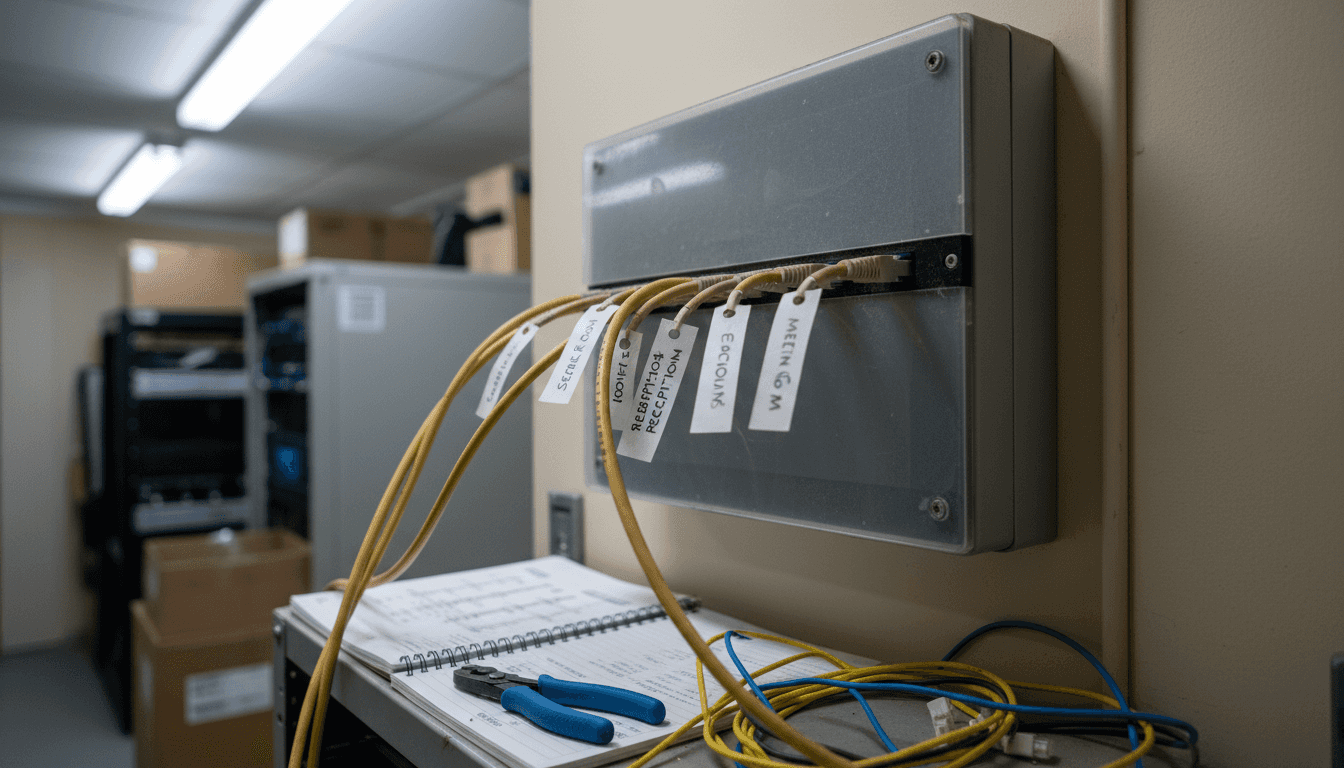
Category 5e, 6, and 6a copper cables form the backbone of modern networks. Cat5e handles gigabit speeds up to 100 metres, whilst Cat6 and Cat6a support 10 Gbps.
Copper cable specifications:
- Cat5e supports 1 Gbps up to 100 metres reliably
- Cat6 provides 10 Gbps capability but over shorter distances (55 metres at full speed)
- Cat6a maintains 10 Gbps for full 100-metre runs without compromise
- Cat7 exceeds current Unifi requirements but offers future-proofing
For most Swedish SMEs, Cat6a represents the sweet spot between performance, cost, and future-readiness.
Fibre Optic and Specialist Connections
Fibre optic cables excel in specific scenarios where copper reaches its limits. Long distances, high-interference environments, or demanding bandwidth needs call for fibre solutions.
Single-mode and multimode fibre options serve different purposes within Unifi infrastructure. Single-mode fibre travels 40+ kilometres, whilst multimode handles shorter distances with lower costs.
Specialised connections for Unifi equipment include:
- Direct Attach Copper (DAC) cables for switch-to-switch connections
- SFP modules enabling flexible transceiver compatibility
- Multimode fibre for building-to-building runs under 500 metres
- Single-mode fibre for campus-wide deployments or long distances
SFP modules and DAC cable specifications detail compatibility with Unifi switches across 1G, 10G, and 25G data rates. Choosing correct transceiver types prevents connection failures.
Here is a comparison of copper and fibre optic cabling types common in Unifi deployments:
| Cable Type | Typical Use Case | Maximum Speed | Maximum Distance |
|---|---|---|---|
| Cat5e | Small offices, legacy systems | 1 Gbps | 100 metres |
| Cat6 | Standard offices, short runs | 10 Gbps (up to 55m) | 55–100 metres |
| Cat6a | Modern offices, future-ready | 10 Gbps | 100 metres |
| Cat7 | Specialised, future-proofing | 10+ Gbps | 100 metres |
| Multimode Fibre | Building interconnects | 10–100 Gbps | Up to 500 metres |
| Single-mode Fibre | Campus or city-wide links | 10–100 Gbps+ | Over 40 kilometres |
Selecting Cables for Your Environment
Your building layout influences cable choices significantly. Dense office floors suit Cat6a runs, whilst multi-building campuses benefit from fibre backbone connections.
Consider these factors when selecting cable types:
- Distance from switch to end device (100-metre limit for copper)
- Required bandwidth (1 Gbps versus 10 Gbps or higher)
- Electromagnetic interference levels in your space
- Budget constraints and future scalability
- Existing infrastructure compatibility
Most Stockholm businesses start with Cat6a copper to access points and switches, then add fibre links only where distances exceed limits. This balanced approach delivers performance without unnecessary expense.
Pro tip: During planning, map all cable routes and measure distances accurately—oversizing to Cat6a costs little more than Cat6 but saves expensive rework when performance demands increase.
How cabling influences network performance
Cabling quality directly impacts every aspect of your Unifi network’s performance. Poor cabling creates bottlenecks that no amount of expensive equipment can overcome. Understanding these connections helps you invest wisely.
When cable quality degrades, signal integrity suffers immediately. Your Unifi access points transmit wireless signals based on clean data arriving through physical cables. Degraded signals mean slower connections, dropped clients, and frustrated users.
Signal Integrity and Data Transmission
Every bit of data travelling through your network depends on proper electrical signal transmission. Inferior cabling introduces noise that corrupts signals before they reach their destination.
Physical layer cabling carries electrical signals representing your organisation’s data constantly. Poor termination, damaged insulation, or bent cables create reflections that degrade signal quality.
How cable quality affects performance:
- Improper termination causes signal reflections and data corruption
- Physical damage to insulation introduces crosstalk between wire pairs
- Excessive cable length without proper shielding increases signal attenuation
- Poor routing near electrical interference sources degrades reliability
- Mixing cable standards within runs creates unpredictable performance issues
Bad cabling doesn’t just slow networks—it creates intermittent problems that frustrate users and consume IT support resources.
Impact on Unifi Access Point Performance
Ubiquiti Unifi access points depend on stable power delivery and clean data signals. Power over Ethernet (PoE) injectors send electricity through the same cables carrying data.
When cabling quality suffers, access points experience power fluctuations or data reception problems. This manifests as dropped wireless connections, reduced coverage, or devices unable to associate with networks.
Common performance problems from poor cabling:
- Wireless clients unable to maintain consistent connection
- Reduced actual throughput despite theoretical speeds
- Access points requiring frequent restart cycles
- Intermittent connectivity affecting productivity
- Difficulty troubleshooting since equipment appears functional
Stockholm businesses often blame Unifi equipment when cabling infrastructure actually causes the issues. Proper installation prevents these scenarios entirely.
Speed and Bandwidth Limitations
Cable category determines maximum achievable bandwidth. Using Cat5e for a gigabit switch creates a artificial ceiling regardless of equipment capability.
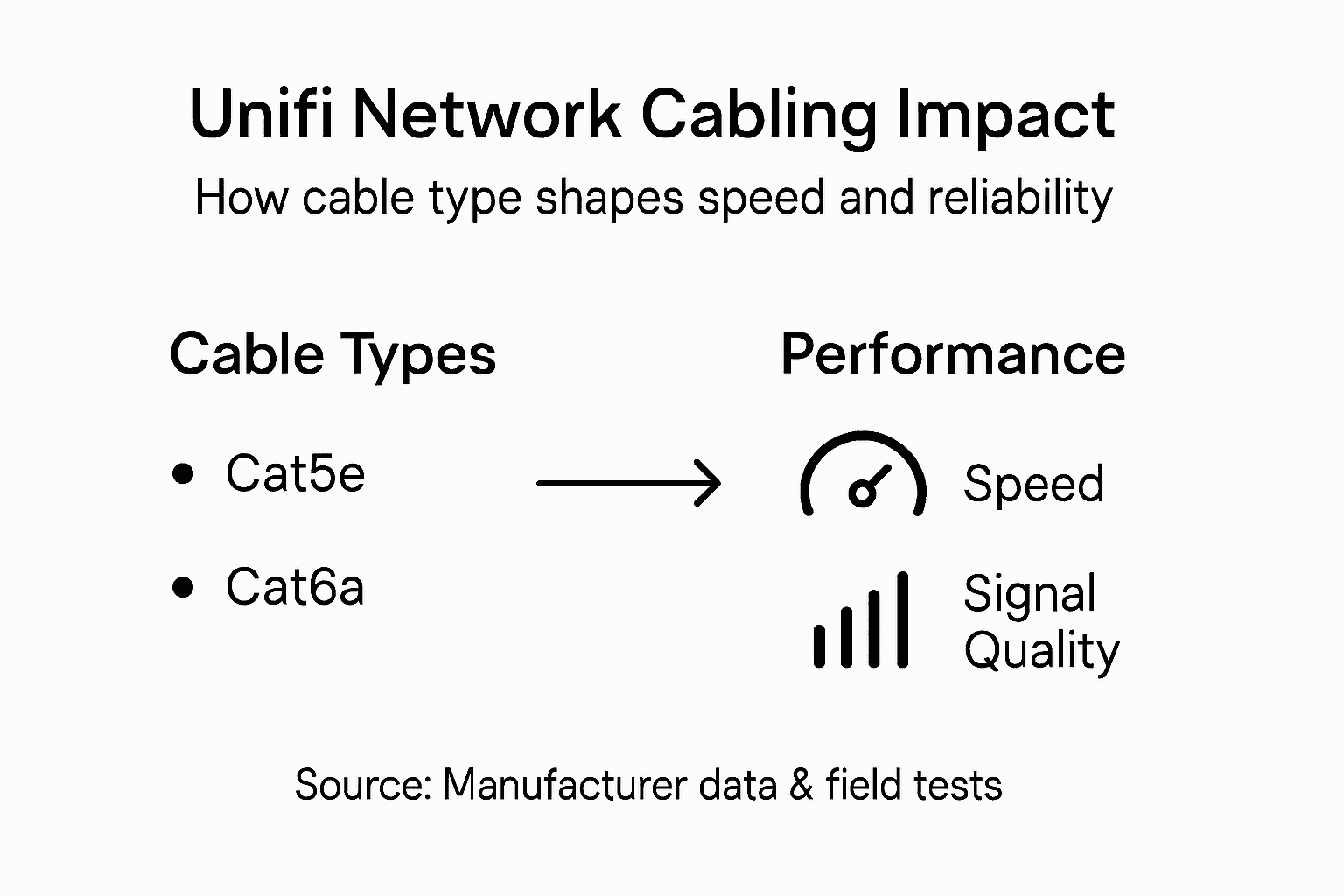
Each cable type supports specific speeds reliably. Cat6a maintains 10 Gbps across full 100-metre runs, whilst Cat6 begins degrading performance beyond 55 metres at those speeds.
Your cabling choice affects:
- Maximum sustainable throughput to access points
- Consistency of performance across your network
- Ability to upgrade equipment without reinstalling cables
- Support for power over Ethernet specifications
- Scalability as your organisation grows
Matching cable specifications to equipment prevents performance surprises and unnecessary upgrades.
Pro tip: Conduct cable testing with proper equipment after installation—certified tests verify signal quality and catch problems before users experience degradation.
Installation challenges and common issues
Network cabling installation looks straightforward but contains multiple failure points that compromise performance. Understanding common pitfalls helps you avoid costly mistakes during deployment.
Many Stockholm businesses encounter problems months after installation when poor practices finally manifest. Proactive planning prevents these frustrations entirely.
Physical Cable Damage
Cables are surprisingly fragile despite their robust appearance. Sharp bends, crushing forces, or repeated flexing damage internal wire pairs permanently.
Physical cable damage from tight bends represents one of the most common installation mistakes. Cables must follow bend radius guidelines—minimum 90-millimetre radius for Cat6a to prevent internal wire damage.
Damage scenarios that occur frequently:
- Cables routed through doorway frames that pinch and compress them
- Installation technicians pulling cables too forcefully through conduits
- Heavy equipment or furniture placed on cable runs after installation
- Cables bent at sharp angles during initial installation
- Repeated flexing near patch panel connections causing wire fractures
Once cable insulation or wire pairs suffer damage, no amount of troubleshooting resolves the underlying issue—replacement becomes necessary.
Electromagnetic Interference Problems
Cables carrying network signals behave like antennas, absorbing interference from nearby power lines and equipment. Poor routing near electrical infrastructure degrades signal quality progressively.
Cable interference from improper routing occurs when network cables run parallel to high-voltage power lines. Maintaining separation prevents crosstalk that corrupts data packets.
Common interference sources:
- Power distribution cables running alongside network cabling
- Electrical distribution panels radiating electromagnetic noise
- Fluorescent lighting fixtures generating continuous interference
- Microwave equipment in office kitchens creating signal disruption
- Unshielded transformers or motor controllers degrading signal integrity
Proper spacing and routing eliminate these issues entirely during initial installation.
Installation Practice Failures
Rushed installations often skip critical steps that ensure long-term reliability. Technicians working under time pressure make shortcuts that create problems later.
Poor installation practices leading to network downtime stem from inadequate planning or insufficient time allocation. Proper termination techniques, systematic labelling, and protective conduit installation require patience.
Prevent common installation failures:
- Document every cable with clear labelling indicating source, destination, and category
- Use protective conduit in high-traffic areas to prevent physical damage
- Test all connections before completing the installation
- Create a detailed network diagram for future maintenance reference
- Maintain slack cable at patch panels for troubleshooting flexibility
Proper installation techniques add minimal cost but eliminate months of potential problems.
Pro tip: Before certifying installation complete, walk the entire cable path and verify bends are smooth, separations from power cables are adequate, and all connections are secure—catching issues now prevents emergency calls later.
Best practices for future-proof cabling
Future-proofing your cabling infrastructure means investing slightly more today to avoid expensive replacements tomorrow. Technology demands evolve faster than most organisations anticipate, and proper planning prevents costly overhauls.
Stockholm businesses that oversized their cabling during initial installation avoid expensive remediation when bandwidth requirements increase. Strategic decisions made now shape network capabilities for 5–10 years.
Oversizing Capacity
Choosing cable categories beyond current requirements protects your investment significantly. Cat6a costs marginally more than Cat6 during installation but saves thousands when upgrade needs arise.
Consider installing Cat6a or Cat7 even if current Unifi deployments only require gigabit speeds. Network topology and infrastructure planning benefit from higher-capacity cabling that accommodates future expansion without reinstallation.
Oversizing benefits include:
- Cat6a support for 10 Gbps across full 100-metre distances
- Future equipment compatibility with emerging standards
- Extended infrastructure lifespan reducing replacement cycles
- Lower total cost of ownership versus multiple upgrades
- Competitive advantage supporting client growth requirements
Installing higher-capacity cabling during initial deployment costs 10–15% more but eliminates expensive reinstallation when technology demands inevitably increase.
Comprehensive Documentation Practices
Network infrastructure documentation often receives minimal attention during installation but becomes critical during troubleshooting or expansion. Detailed records prevent confusion and accelerate problem resolution.
Systematic labelling at both ends of every cable run enables quick identification and reduces troubleshooting time significantly. Colour-coded labelling systems add visual organisation but require consistent application across your entire infrastructure.
Essential documentation includes:
- Cable run diagrams showing physical paths and locations
- Patch panel maps identifying every connection point
- Equipment inventory listing all switches, access points, and devices
- Installation dates and cable specifications for maintenance planning
- Testing results verifying signal quality at installation completion
Organise documentation both physically and digitally for redundancy and accessibility.
Conduit and Cable Management Strategy
Installing protective conduit during initial deployment prevents future physical damage. Open cable trays invite accidents, crushing forces, and environmental exposure that degrade performance.
Proper cable management maintains organisation, simplifies troubleshooting, and protects infrastructure investment. Strategic routing with adequate spacing prevents interference and thermal issues affecting longevity.
Cable management best practices:
- Install conduit in high-traffic areas and through walls
- Maintain minimum 300-millimetre separation from power cables
- Use cable trays with proper spacing for airflow
- Label all cables at both termination points
- Create slack loops at patch panels for future flexibility
Initial investment in proper infrastructure prevents costly damage and simplifies future modifications.
Pro tip: Install extra empty conduits alongside active cables during initial deployment—these future-proof pathways save thousands when adding cables later without requiring wall reopening or major disruption.
Below is a summary of practical network cabling best practices for reliable Unifi deployments:
| Best Practice | Purpose | Business Benefit |
|---|---|---|
| Use appropriate cable category | Ensures performance meets needs | Reduces future upgrade costs |
| Maintain proper cable separation | Minimises interference risk | |
| Increases signal reliability | ||
| Comprehensive cabling documentation | Speeds up troubleshooting | Cuts network downtime |
| Certified cable testing | Verifies installation quality | Prevents hidden performance issues |
| Install protective conduit | Shields cables from physical harm | Extends infrastructure lifespan |
Enhance Your Ubiquiti Unifi Network with Expert Cabling Solutions
The right network cabling is essential to unlock the full potential of your Ubiquiti Unifi system. If you are experiencing dropped connections, slow speeds or unstable wireless coverage, the problem often lies beneath the surface in the quality and installation of your cabling infrastructure. At natverkstekniker.se, we specialise in professional network installation tailored for both private individuals and businesses seeking high-performance, future-proof Unifi networks across Sweden.

Do not let outdated or improperly installed cables hold back your network. Whether you need expert installation of Cat6a or Cat7 structured cabling, centralised Unifi Controller setup or a complete network redesign, we provide certified technicians and holistic solutions. Benefit from detailed cable documentation, protective conduit installation and optimised routing to eliminate interference and signal loss. Contact us today to ensure your Unifi deployment is stable, secure and scalable. Book your personalised consultation now with Boka Tid or reach out directly by phone at 08 400 117 26 or email at kontakt@natverkstekniker.se.
Explore more about how professional cabling impacts your network and find tailored solutions at Professional network installation with Ubiquiti Unifi. Secure your business’s digital future with expert guidance and installation from Sweden’s trusted network specialists.
Frequently Asked Questions
What impact does cabling quality have on Ubiquiti Unifi performance?
Cabling quality directly affects signal integrity and network speed. Poor quality cabling can lead to degraded signals, slower connections, and overall performance bottlenecks, detracting from the capabilities of your Ubiquiti Unifi equipment.
Which cable types are best suited for Ubiquiti Unifi deployments?
Copper cables, particularly Cat6a, are generally the most suitable for Ubiquiti Unifi deployments, supporting speeds up to 10 Gbps over 100 metres. For specific environments or longer runs, fibre optic cables like single-mode and multimode may also be appropriate.
How can I ensure optimal performance from my Ubiquiti Unifi network cabling?
To ensure optimal performance, use appropriate cable categories, maintain proper cable separation from power sources, ensure proper termination, and conduct thorough testing after installation. Comprehensive documentation can also aid in future troubleshooting and upgrades.
What are some common mistakes to avoid during network cabling installation?
Common mistakes include physical damage to cables from tight bends, inadequate spacing from electromagnetic interference sources, and skipping critical installation steps like proper labelling and testing. Careful planning and execution can help mitigate these issues.