
Slow file transfers and dropped connections can turn a regular day at your Stockholm office into a frustrating experience. For growing businesses, overlooked cabling soon becomes the hidden cause of delays, downtime, and support calls. The right network cabling forms the backbone of your connectivity, directly affecting speed, reliability, and scalability as demands change. This guide offers clear, practical insights into building robust cabling infrastructure and integrating Unifi solutions to keep your network performing and your business future-ready.
Table of Contents
- Network Cabling Definition And Core Concepts
- Major Cable Types And Distinctions
- Structured Cabling Systems For Reliability
- Professional Installation And Best Practices
- Ubiquiti Unifi Integration And Common Issues
Key Takeaways
| Point | Details |
|---|---|
| Network cabling is essential | It forms the backbone of your network, enabling reliable data transmission essential for business performance. |
| Choosing the right cable type is crucial | Understanding cable specifications ensures optimal speed and capacity, preventing performance bottlenecks. |
| Structured cabling promotes efficiency | Implementing a structured system simplifies maintenance and future expansion, making your network more manageable. |
| Professional installation is key | Quality installation and documentation prevent future issues, saving time and costs related to troubleshooting and upgrades. |
Network cabling definition and core concepts
Network cabling is the physical infrastructure that connects your devices and enables data transmission across your business. Think of it as the backbone of your network—without proper cabling, even the best equipment underperforms.
At its core, network cabling serves one purpose: safely carrying data signals between computers, servers, switches, and wireless access points. The cables you choose directly affect speed, reliability, and how much your network can handle as your business grows.
What cables actually do
Network cabling transmits data using electrical signals that travel through copper conductors or light pulses through fibre. The cable type you select determines bandwidth capacity, distance limitations, and electromagnetic interference resistance—all critical for stable connectivity.
Your cables must meet industry standards to ensure compatibility across equipment brands and future-proof your investment.
The main cable types you’ll encounter
Understanding cable categories helps you choose the right solution for your specific needs.
- Cat6 (Category 6): Supports up to 10 Gigabit speeds over shorter distances. Ideal for most SMB installations in Stockholm offices.
- Cat6A (Category 6A): Provides 10 Gigabit capability over longer runs with better shielding. Worth considering if you’re planning significant growth.
- Cat7: Offers higher frequencies and superior shielding for demanding environments. Less common but extremely reliable.
- Fibre optic: Uses light instead of electrical signals. Immune to electromagnetic interference and supports much longer distances.
Properly installed structured cabling saves money long-term by reducing troubleshooting time, supporting network upgrades, and preventing costly downtime.
Connectors and terminations matter
Your cables only work as well as their connections. The RJ-45 connector is the standard for copper cabling, but the quality of termination directly affects performance. Poorly terminated cables introduce signal loss and create intermittent connection problems.
Structured cabling means everything is labelled, documented, and installed according to standards. This approach eliminates guesswork when you need to troubleshoot or expand your network later.
Why structure beats random cabling
Many growing businesses start with cables run ad-hoc—wherever they fit. This creates chaos: unknown cable runs, poor cable management, interference issues, and difficulty identifying which cable serves which area. When problems arise, you waste hours tracing cables instead of solving the actual issue.
Structured cabling systems provide clear pathways, proper documentation, and professional termination. You know exactly what you have and where it goes.

Pro tip: Document every cable run during installation—photograph cable routes, label everything clearly, and maintain a digital spreadsheet showing which cables connect to which devices. This prevents expensive mistakes during future upgrades.
Major cable types and distinctions
Choosing the right cable type is one of the most important decisions you’ll make for your network infrastructure. Different cables perform differently under various conditions, and picking the wrong one creates performance bottlenecks that cost you money later.
Your cable choice affects speed capacity, distance limitations, and how well your system resists electromagnetic interference. Understanding the differences helps you invest wisely in infrastructure that actually supports your business needs.
Unshielded twisted pair (UTP) cables
UTP cables are the most common choice for business networks because they’re affordable, easy to install, and reliable when properly terminated. Pairs of copper wires twist around each other to reduce electromagnetic interference naturally.
They come in different categories based on frequency capabilities. Cat6 and Cat6A are standard for modern offices, supporting gigabit speeds with enough headroom for growth. UTP cables suit most horizontal cabling runs in typical office environments where distances stay under 100 metres.
The trade-off? UTP offers less shielding than alternatives, so electromagnetic interference from power lines or machinery can degrade performance in electrically noisy environments.
Shielded twisted pair (STP) cables
STP cables add extra metallic shielding around the twisted pairs, providing superior protection against electromagnetic interference. Use them in manufacturing facilities, server rooms with dense equipment, or areas near heavy electrical machinery.
The shielding requires proper grounding, which adds installation complexity and cost. STP typically costs 20-30% more than comparable UTP, but that investment pays off when environmental noise would otherwise cripple your network.
- Better interference resistance in electrically noisy spaces
- Slightly higher installation complexity
- Premium cost justified in specific environments
Fibre optic cables
Fibre optic cables use light pulses instead of electrical signals, making them completely immune to electromagnetic interference. They support much longer distances—up to 2 kilometres on single-mode fibre—without signal degradation.
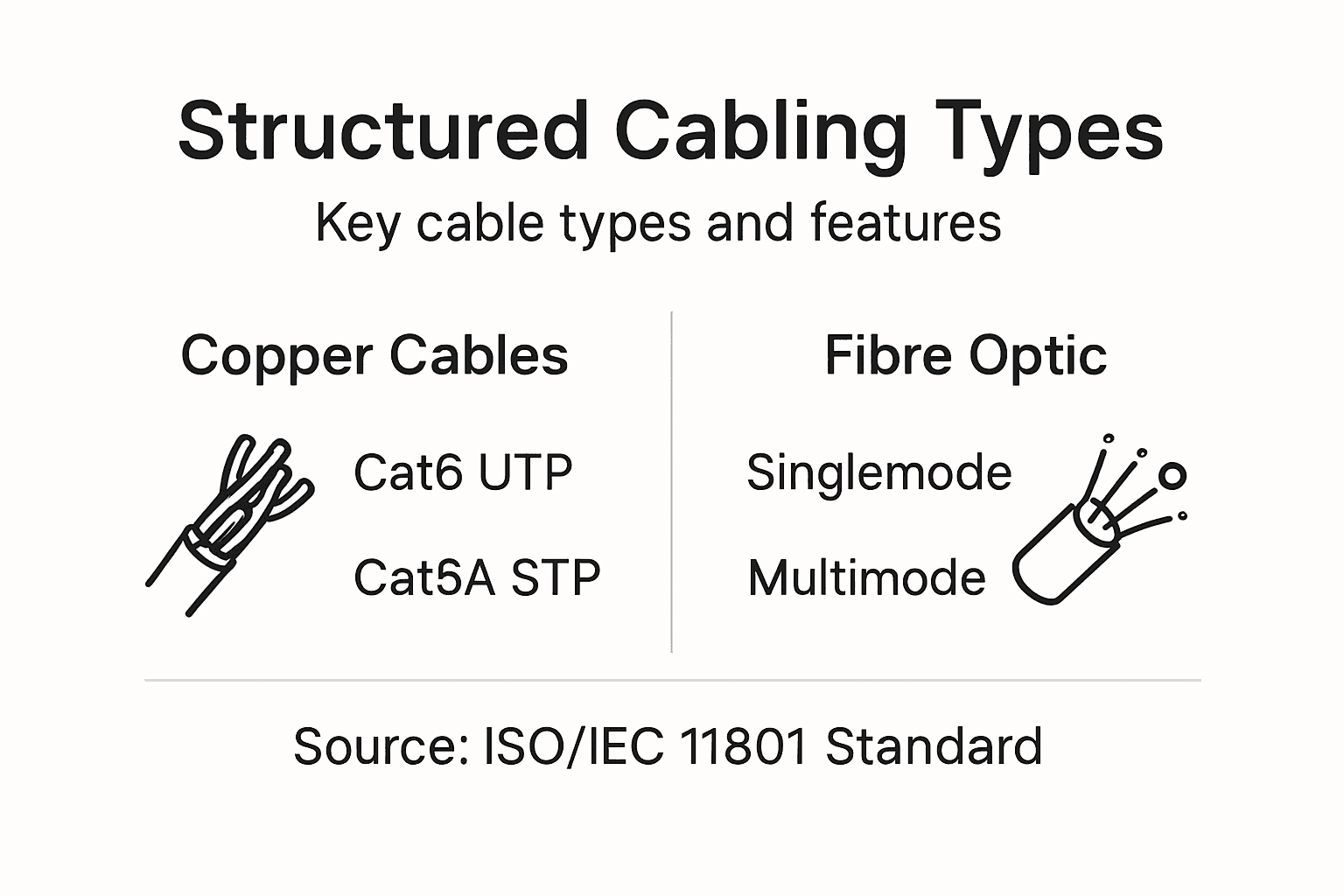
Fibre delivers exceptional performance for backbone cabling connecting buildings or linking your server room to access points. Structured cabling standards recognise fibre as essential for future-proof installations expecting significant capacity growth.
The drawback: fibre costs considerably more and requires specialist technicians for installation and termination. For SMBs in Stockholm, fibre typically makes sense for backbone connections rather than desktop cabling.
Coaxial cables
Coaxial cables appear in older network installations but rarely feature in new builds. They provided decent bandwidth for legacy systems but have been superseded by twisted pair and fibre options.
You might encounter coaxial in existing infrastructure during network upgrades, but plan to replace it with Cat6A or fibre.
Here’s how different cable technologies impact business network priorities:
| Technology | Main Advantage | Common Business Application |
|---|---|---|
| UTP (Unshielded Twisted Pair) | Cost-effective, easy installation | General office connections |
| STP (Shielded Twisted Pair) | High interference resistance | Factories, server rooms |
| Fibre optic | Long range, future-proof speeds | Inter-building or backbone |
| Coaxial | Legacy compatibility | Older infrastructure only |
The cable type you choose today affects whether your network thrives or struggles as your business adds users and applications over the next five years.
Quick comparison table
| Cable Type | Speed | Distance | Cost | Best For |
|---|---|---|---|---|
| Cat6 UTP | 10 Gbps | 55 m | Low | Most offices |
| Cat6A UTP | 10 Gbps | 100 m | Moderate | Standard deployments |
| STP | 10 Gbps | 100 m | High | Electrically noisy areas |
| Single-mode fibre | 100+ Gbps | 2000 m | High | Backbone, future growth |
Pro tip: Install Cat6A even if you only need Cat6 today—the modest cost difference (typically £0.30-0.50 per metre) becomes negligible over time, but you’ll thank yourself when network demands increase and upgrades become expensive.
Structured cabling systems for reliability
A structured cabling system transforms your network from a tangled mess into an organised, predictable infrastructure. When cabling follows a clear system, everything works better and costs less to maintain over time.
Reliability depends on three things: proper design, correct installation, and meticulous documentation. Without all three, you’re one cable failure away from network chaos.
What makes cabling “structured”
Structured cabling means your entire network follows a recognised standard rather than ad-hoc installation. Every cable runs through designated pathways, connects at defined points, and gets documented clearly.
Structured cabling standards like ISO/IEC 11801 establish universal rules for system design, installation, and testing. These standards ensure consistency whether you’re working with one technician or ten, this year or ten years from now.
The result? Your network behaves predictably, problems get resolved faster, and future upgrades become straightforward rather than chaotic.
The backbone and horizontal split
Structured systems divide cabling into two distinct layers, each with specific purposes.
Backbone cabling runs the main connections between buildings, floors, or your server room to access points. Think of it as your network’s arterial system—fewer cables but carrying everything that matters.
Horizontal cabling runs from the backbone distribution points to individual workspaces. Cat6A typically handles horizontal runs, whilst fibre optic handles backbone connections in larger installations.
This separation prevents single points of failure from taking down your entire network. If one horizontal cable fails, only that workspace loses connectivity; the backbone keeps everything else running.
Installation practices that prevent disasters
Proper installation stops half your future problems from occurring at all.
- Run cables through conduit or cable trays rather than loose overhead—this protects against damage and maintains consistent signal quality
- Maintain separation from electrical power lines (minimum 30 centimetres) to avoid electromagnetic interference
- Terminate cables correctly to specification—poor termination introduces signal loss and intermittent failures
- Label every single cable and maintain a master diagram showing what connects where
A well-documented structured system lets you troubleshoot problems in minutes instead of hours, and add new connections without guesswork.
Documentation: your most valuable asset
Many businesses skip documentation to save time during installation. That choice costs them thousands in troubleshooting hours later.
Your documentation should include detailed cable runs with photos, a spreadsheet showing every cable connection, a network diagram, and records of any changes made. When problems occur—and they will—this information saves you time and prevents expensive mistakes.
Planning for growth from day one
Structured cabling standards emphasise scalability because your network requirements will change. Install extra conduit capacity today. Use cable trays that accommodate 50% more cables than you currently need.
These additions cost very little during initial installation but become enormously expensive to retrofit later.
Pro tip: Install two extra empty conduits alongside every cable run—pulling new fibre or upgrading to Cat7 becomes simple future work instead of a costly rip-and-replace project.
Professional installation and best practices
Professional installation separates networks that perform reliably for years from those that cause constant headaches. The difference lies not in expensive equipment but in meticulous attention to detail during cable deployment.
When you cut corners on installation, you’re essentially building technical debt that compounds every single day your network operates.
Certification and testing matter
Cable certification proves your installation meets performance standards before you depend on it for business-critical work. Professional standards require testing and certification of every cable run to verify it actually performs as promised.
You can’t know if a cable meets its rated specifications just by looking at it. Proper testing equipment measures signal quality, attenuation, and crosstalk—the invisible factors that determine reliability.
Skip certification and you’re gambling with your network stability.
Proper termination techniques
Termination is where most installation quality problems originate. A cable is only as good as its connections, and poor technique introduces signal loss that degrades network performance.
Termination requires following precise standards: correct colour order, precise strip length, proper compression, and consistent technique. One technician doing it right whilst another rushes creates inconsistency that haunts you during troubleshooting.
- Use certified termination tools designed for your cable type
- Follow colour standards (T568A or T568B) consistently throughout your installation
- Test every termination with continuity and signal quality equipment
- Never exceed recommended bend radius—damage isn’t always visible
Safety practices during installation
Safety isn’t optional. Working at heights, around electrical equipment, and with heavy materials creates real hazards that professional installers mitigate systematically.
Professional installation practices emphasise compliance with safety standards throughout the process. This includes grounding, electrical isolation, fall protection when working at height, and personal protective equipment appropriate to the environment.
Cable management for long-term reliability
Cable management isn’t cosmetic—it directly affects performance and lifespan. Cables bundled too tightly generate heat that degrades signal quality. Cables with sharp bends develop internal damage that shows up as intermittent failures months later.
Professional installation means:
See which installation and management practices yield long-term value:
| Practice | Business Risk if Skipped | Long-Term Benefit if Followed |
|---|---|---|
| Proper termination | Signal loss, intermittent faults | Reliable connectivity, fewer issues |
| Testing & certification | Unnoticed faults, network downtime | Verified performance, peace of mind |
| Documentation | Difficult troubleshooting | Fast upgrades, minimal downtime |
| Cable management | Overheating, physical damage | Increased lifespan, easier upgrades |
- Using cable trays or conduit rather than loose runs
- Maintaining minimum bend radius specified for your cable type
- Separating power and data cables to prevent electromagnetic interference
- Leaving slack at termination points for future adjustments
Good installation practices cost slightly more upfront but prevent the expensive emergency repairs that come from corners cut during initial deployment.
Testing and validation processes
Validation confirms the installed system performs as designed before you start relying on it. This involves testing cable runs, verifying terminations, measuring signal quality, and documenting results.
Keep detailed test records showing every cable passed certification. If problems occur later, these records help identify whether the issue originates in your cabling infrastructure or elsewhere.
Pro tip: Hire certified installers who carry liability insurance and guarantee their work for a minimum of five years—this assurance costs marginally more but eliminates expensive rework if installation defects surface later.
Ubiquiti Unifi integration and common issues
Ubiquiti Unifi systems are powerful when deployed correctly, but integration with structured cabling is where most problems originate. Many SMBs in Stockholm purchase Unifi equipment without considering their underlying network infrastructure, then wonder why performance disappoints.
Your cabling forms the foundation everything else sits on. No amount of expensive wireless access points compensates for poor cabling decisions.
Why cabling affects Unifi performance
Network cabling directly determines whether your Unifi system delivers the speed and reliability you paid for. Network cabling’s impact on Ubiquiti Unifi performance depends entirely on proper infrastructure planning and installation.
Unifi access points need reliable backhaul connections to function optimally. If your backbone cabling is marginal, mesh networks suffer interference, controller communication lags, and device handover becomes choppy. Your users experience dropped connections and slow speeds despite having capable equipment.
Planning Unifi deployment alongside cabling
Plan simultaneously, not sequentially. Many businesses install cabling first, then realise their design doesn’t support optimal access point placement. Others deploy Unifi equipment, then retrofit cabling that doesn’t meet performance requirements.
The right approach:
- Survey your physical space and identify access point locations based on coverage needs
- Plan cabling paths that reach those locations with sufficient capacity
- Install structured cabling infrastructure before deploying any wireless equipment
- Position access points once cabling backbone is operational
- Test and validate the complete system before going live
This sequence prevents expensive rework and ensures everything works together properly.
Common integration problems
Poor backhaul performance tops the list of Unifi problems stemming from cabling issues. Your access points cannot communicate effectively with the controller or each other without reliable wired connections.
Other frequent issues include:
- Weak PoE (Power over Ethernet) delivery caused by low-quality terminations—access points reboot intermittently or operate at reduced power
- Interference from undersized or poorly shielded cables near electrical equipment
- Inadequate cable capacity forcing wireless mesh operation when wired backhaul would perform better
- Disconnects caused by bent cables exceeding bend radius limits
Unifi systems fail far more often because of infrastructure problems than equipment defects. Fix your cabling foundation first.
Controller placement and cable requirements
Unifi Controller centralises network management, but it only works well with reliable connectivity to all access points. Place your controller on a server with rock-solid network connectivity—not on a desktop computer sharing a weak Wi-Fi connection.
Benefits of Unifi Controller management depend on low-latency wired connections between the controller and every access point. If your access point must reconnect constantly, you lose visibility and control.
PoE and power delivery
Power over Ethernet delivers power and data through the same cable, simplifying access point installation but introducing vulnerability to poor termination. A cable that passes data tests might still deliver marginal power, causing intermittent device failures.
Require full certification including power delivery testing, not just data continuity checks. Access points demand stable power—anything less creates reliability nightmares.
Pro tip: Before installing any Unifi equipment, have your cabling infrastructure professionally tested and certified with PoE validation included—this £200-400 investment prevents months of intermittent failures and support headaches.
Elevate Your Network with Expert Structured Cabling and Ubiquiti Unifi Solutions
Do you struggle with unreliable network connections or complicated Unifi installations that just do not perform as expected? The key to a seamless and future-proof network lies in professional structured cabling combined with expert Ubiquiti Unifi integration. Our services at natverkstekniker.se address all common pain points like poor cable termination, lack of proper documentation, and insufficient power over Ethernet delivery that can cripple your network’s reliability and speed.

Partner with us to experience the peace of mind that comes from precision installation, certified cable testing, and optimal Unifi device configuration. Whether you are a private individual or a business looking to upgrade your network infrastructure, our team offers complete solutions including Cat6/Cat6a/Cat7 cabling, datacupboards, and seamless controller management. Take control of your network before issues arise and ensure high performance with professional structured cabling from trusted experts.
Make the smart choice today and Boka Tid to secure your network’s future. If you prefer to speak directly, call us at 08 400 117 26](tel:0840011726) or email kontakt@natverkstekniker.se for personalised advice. Protect your network investment now and avoid costly downtime later with [natverkstekniker.se – your trusted partner in network excellence.
Frequently Asked Questions
What is network cabling and why is it important?
Network cabling is the physical infrastructure that connects devices and enables data transmission within a business. It is crucial for ensuring optimal performance, speed, and reliability of your network as it serves as the backbone of your network operations.
What are the main types of network cables?
The main types of network cables include Unshielded Twisted Pair (UTP) cables, Shielded Twisted Pair (STP) cables, Fibre Optic cables, and Coaxial cables. Each type has different capabilities regarding speed, distance, and resistance to interference, making it important to choose the right one for your specific network needs.
Why is structured cabling better than random cabling?
Structured cabling provides a clear and organised system for managing cables, reducing chaos and improving efficiency. It eliminates guesswork when troubleshooting, facilitates easier upgrades, and ensures better documentation of the network infrastructure compared to random cabling systems.
How does cable installation affect network performance?
Proper cable installation is crucial as it directly impacts connectivity, speed, and reliability. Issues such as poor termination, incorrect cable types, or cable management can lead to signal loss, intermittent connections, and network downtime, all of which can hinder business operations.