
Network slowdowns and random connection drops often point to issues hidden in the cabling behind your walls. For IT managers and business owners in Stockholm, the foundation of a reliable Ubiquiti Unifi system lies in structured network cabling built to recognised standards. Selecting the right cables and proper installation not only maximises wireless coverage and device performance, but also prevents frustrating troubleshooting sessions and unplanned repair costs in the future.
Table of Contents
- Defining Network Cabling For Modern Networks
- Choosing The Right Cabling For Ubiquiti Unifi
- Installation Requirements And Best Practices
- Risks Of Poor Cabling And Common Issues
- Cost, Maintenance, And Upgrade Considerations
Key Takeaways
| Point | Details |
|---|---|
| Importance of Quality Cabling | Selecting high-quality cables prevents performance bottlenecks and enhances network reliability. Cheap cables can lead to significant degradation and costly repairs over time. |
| Future-Proofing Infrastructure | Opt for cable categories above current requirements, such as Cat6a instead of Cat6, to accommodate future upgrades without major renovations. |
| Proper Installation Practices | Invest in professional installation to ensure reliability and reduce long-term maintenance issues associated with poor cabling practices. |
| Ongoing Maintenance | Regular inspections and proper documentation of cabling infrastructure minimise unexpected failures and support efficient network changes. |
Defining Network Cabling for Modern Networks
Network cabling forms the backbone of any modern organisation’s connectivity. It’s the physical medium that carries data between your Ubiquiti Unifi access points, switches, controllers, and connected devices.
Network cabling refers to the cables and associated infrastructure that transmit data signals across your network. Without proper cabling, even the best access points and controllers cannot perform reliably.
There are several types of cables to consider. The most common in today’s networks include unshielded twisted pair (UTP), shielded twisted pair (STP), and fibre optics. Each serves different purposes and performance requirements.
UTP and STP cables differ primarily in their shielding capabilities, which affects how well they reject electromagnetic interference. Your choice depends on your environment and specific needs.
For modern Ubiquiti Unifi deployments, cable categories matter significantly:
- Cat6 cables support up to 10 Gbps and work well for most small to mid-sized deployments
- Cat6a cables offer better performance over longer distances with improved shielding
- Cat7 cables provide the highest performance standards for future-proofing your infrastructure
Proper cabling infrastructure also involves structured standards. Understanding international cabling standards like ISO/IEC 11801 ensures your network meets global best practices and remains scalable.
Connecting cables haphazardly creates performance bottlenecks that undermine your entire Unifi system. Poor cable installation leads to dropped connections, slower speeds, and unreliable network behaviour. When cables aren’t properly terminated or organised, troubleshooting becomes a nightmare.
Proper cabling design today prevents network headaches and expensive upgrades tomorrow.
Your cabling also affects how well your Unifi system manages wireless coverage, security policies, and device connectivity. When you pair quality cables with structured installation practices, your Unifi system reaches its full potential.
If you’re planning a new installation or upgrading existing infrastructure, understanding these fundamentals helps you make better decisions about what your network actually needs.
To aid decision-making, here’s a comparison of common network cable categories:
| Cable Category | Max Speed | Typical Use Case | Future-Proof Potential |
|---|---|---|---|
| Cat6 | 10 Gbps | Small to mid offices | Limited for upgrades |
| Cat6a | 10 Gbps (improved) | Larger deployments | Strong, supports new standards |
| Cat7 | 10+ Gbps | Critical core infrastructure | Excellent for growth |
Pro tip: When selecting cables for your Unifi system, always choose one category higher than your current minimum requirement—Cat6a instead of Cat6—to future-proof your investment and avoid costly rewiring in three to five years.
Choosing the Right Cabling for Ubiquiti Unifi
Selecting the correct cabling for your Ubiquiti Unifi system isn’t a one-size-fits-all decision. Your choice depends on distance requirements, budget constraints, and future growth plans.
Start by understanding what your Unifi system actually needs. Access points, controllers, and PoE switches all depend on reliable data transmission. Poor cable choices force your equipment to work harder and perform worse.
Cat6 remains the standard for most small to mid-sized Stockholm businesses. It supports gigabit speeds over 100 metres, which covers most office environments. For larger deployments or longer runs, Cat6a becomes necessary.
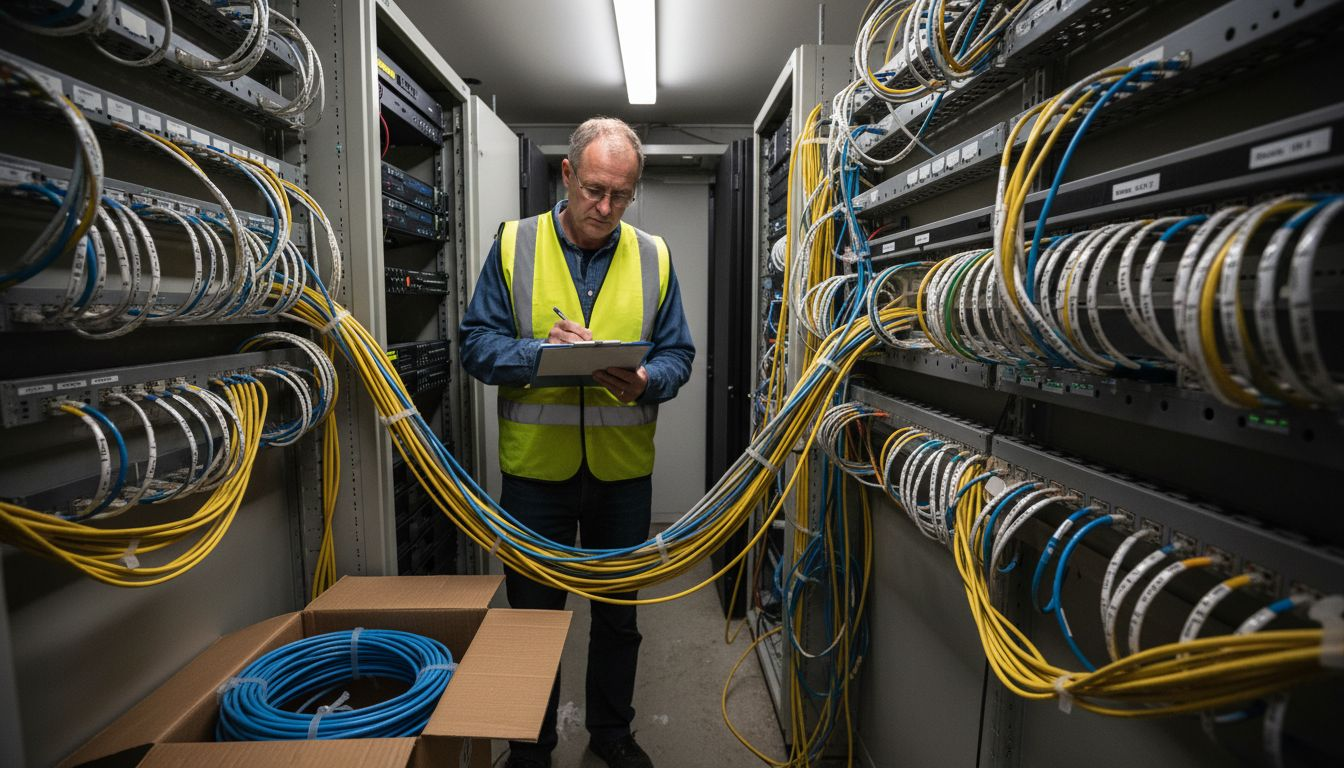
Cable categories and their supported speeds matter far more than many IT managers realise. Each category increment provides better shielding, higher frequency support, and longer reliable transmission distances.
Consider these practical factors when choosing cables:
- Distance: Cat6 works reliably up to 100 metres; Cat6a extends this further
- Environment: Shielded cables work better in electrically noisy areas with machinery or fluorescent lighting
- Budget: Cat6 costs less upfront but may require replacement sooner
- Future-proofing: Cat6a costs slightly more now but supports faster standards emerging in five years
When planning your cabling infrastructure, adhering to industry standards like TIA and ISO/IEC ensures your installation remains scalable and maintainable. This matters when you need to add access points, switches, or upgrade equipment.
Don’t cut corners on cable quality. Cheap cables from unknown manufacturers frequently fail within two to three years, forcing expensive emergency replacements. Professional-grade cables from recognised manufacturers cost marginally more but provide reliability that actually saves money.
Quality cabling is an investment that pays dividends through years of stable, predictable network performance.
Your Unifi system’s performance ceiling is directly limited by your cabling. Even the newest access points cannot deliver their promised speeds if copper cables degrade signal or fibre isn’t properly installed.
Think about environmental conditions too. Heat, moisture, and physical stress all shorten cable lifespan. Proper installation techniques protect your investment from preventable failures.
Pro tip: Install Cat6a throughout your facility rather than Cat6, even if current speeds don’t require it—the modest extra cost prevents costly rewiring when you need upgraded capacity in three to five years.
Installation Requirements and Best Practices
Proper installation transforms quality cables into reliable network infrastructure. Poor installation practices undermine even the best equipment choices and create problems that surface months later.
Your installation approach determines whether your Ubiquiti Unifi system performs consistently or fails intermittently. Sloppy cable runs, improper terminations, and missing documentation create technical debt that costs time and money.
Start with planning. Map out cable routes before running a single wire. Consider where cables enter buildings, avoid areas with electrical interference, and plan for future expansion.
Proper termination practices focus on wall jacks rather than plugs, ensuring reliability and easier troubleshooting. Plugged connections deteriorate over time; properly terminated jacks remain stable for years.
Following best practice installation requires attention to several key elements:
- Cable length limits: Cat6 reaches 100 metres; exceeding this causes signal degradation
- Bend radius: Never bend cables tighter than the recommended curve—this damages internal conductors
- Labeling: Mark both ends of every cable clearly for quick identification during troubleshooting
- Conduit protection: Run cables through conduit where they face physical stress or environmental hazards
Labeling saves enormous amounts of time. When a cable fails, clearly marked endpoints let you identify and replace it within minutes rather than hours. Without labels, you’re guessing which cable is which.
Industry standards for installation methods, grounding, and cable management ensure your system remains reliable and maintainable for years. These standards exist because professionals learned hard lessons about what works and what fails.
Use proper termination tools. Punch down tools and crimpers designed for network cables produce consistent, reliable connections. Hand-crimped or jury-rigged connections introduce failure points that plague your network unpredictably.
Professional installation costs more upfront but eliminates months of intermittent failures and emergency service calls.
Temperature control matters too. Cables in attics or poorly ventilated spaces degrade faster. Plan cable routes that avoid temperature extremes when possible.
Document everything. A simple spreadsheet showing which cable connects which device is invaluable. Include cable types, installation dates, and any issues encountered. This documentation becomes your network’s history.
Pro tip: Always install 20 percent more cable runs than you currently need—this future-proofs your infrastructure and prevents expensive re-runs when you add access points or switches in twelve months.
Risks of Poor Cabling and Common Issues
Poor cabling choices cascade into expensive problems. What seems like a minor cost-saving decision today becomes a network reliability nightmare within months.
Many businesses overlook cabling quality until their network starts failing. By then, diagnosing the problem costs thousands in IT support time and lost productivity.
Common cabling failures include signal degradation, intermittent connection drops, and complete cable failure. These problems often appear randomly, making them incredibly difficult to troubleshoot.
When cables near their end of life, your Unifi access points cannot maintain stable connections. Users experience WiFi dropping throughout the day, blame the wireless system, and lose confidence in your IT infrastructure.
Here are the most damaging issues poor cabling creates:
- Signal degradation: Cheap cables weaken data signals, reducing actual throughput by 30-50 percent
- Intermittent failures: Bad connections come and go, making troubleshooting a nightmare
- Crosstalk interference: Unshielded cables in electrically noisy areas pick up interference from nearby equipment
- Cable breakage: Cables bent improperly or installed in high-stress areas fail suddenly
- Documentation gaps: Unlabelled cables mean hours hunting for the right connection when troubleshooting
Understanding how network cabling impacts your Unifi system’s performance helps you make informed decisions about quality investments. Poor cabling directly limits what your expensive access points and controllers can actually deliver.
Cost-cutting on cables creates false savings. Cheap Cat5e cables might cost 40 percent less than Cat6a, but replacing them within two years costs far more than the upfront savings. You pay for cable replacement labour, network downtime, and emergency service calls.
Temperature fluctuations also degrade cheap cables faster. Cables in attics or poorly ventilated spaces exposed to heat cycles fail prematurely. Professional-grade cables resist environmental stress far better.
Poor cabling doesn’t just slow your network—it makes it unreliable, unpredictable, and expensive to maintain.
Undocumented installations create additional problems. When a cable fails, unmarked installations force technicians to test connections randomly. This diagnostic process wastes hours and increases your IT costs significantly.
Electromagnetic interference from machinery, fluorescent lighting, and electrical equipment damages unshielded cables. Shielded cables cost slightly more but prevent these interference issues entirely.
The ripple effects of poor cabling extend beyond IT. Users blame the Unifi system for problems caused by cable failures. Your investment in quality equipment provides no benefit when hidden cable issues prevent reliable performance.
Pro tip: Schedule annual cable inspections where a technician verifies all terminations remain secure, labels are legible, and no visible damage exists—this catches problems before they cause network failures.
Cost, Maintenance, and Upgrade Considerations
Network cabling isn’t a set-and-forget investment. Proper maintenance, strategic upgrades, and realistic cost planning determine whether your Ubiquiti Unifi system remains reliable for years or becomes a financial drain.
Many organisations view cabling as a one-time expense and ignore it thereafter. This approach costs substantially more than planned maintenance and scheduled upgrades.
Initial cabling investment seems high, but it spreads across five to ten years. A Cat6a installation costs roughly 15 percent more than Cat6 but provides significantly longer useful life and better performance.
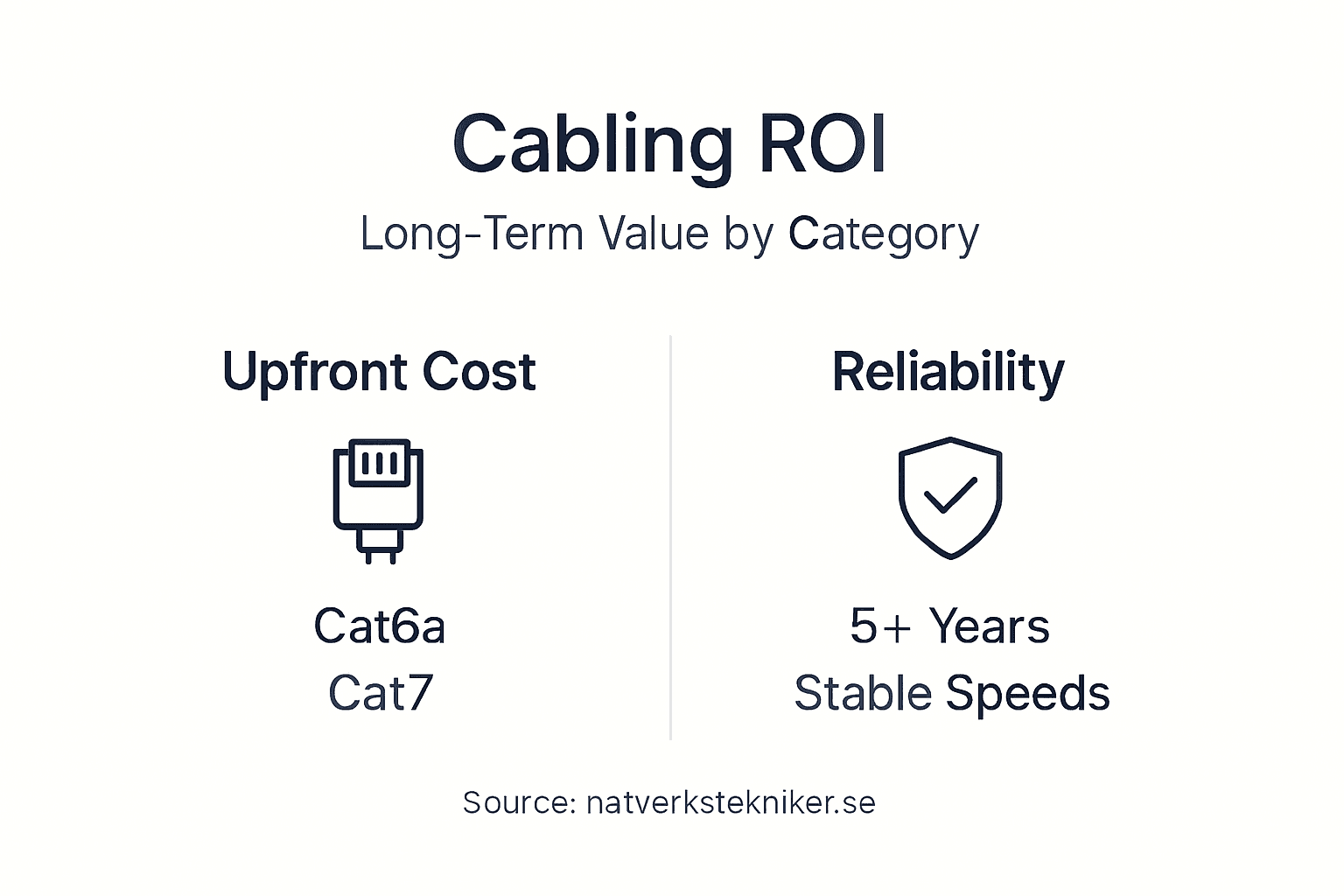
Preventive and predictive maintenance strategies optimise network uptime whilst managing long-term costs effectively. Scheduled inspections catch cable degradation before failures occur, reducing emergency service calls and unplanned downtime.
Consider these cost factors when planning your cabling infrastructure:
- Installation labour: Professional installation costs more upfront but eliminates costly repairs from improper terminations
- Material quality: Premium cables cost 10-20 percent more but outlast cheap alternatives by years
- Documentation: Proper labelling saves hours during troubleshooting, reducing IT support costs significantly
- Preventive maintenance: Annual inspections cost hundreds but prevent thousands in emergency repairs
- Future expansion: Installing extra cable runs during initial setup costs less than retrofitting later
Proper cable management reduces downtime and supports efficient network changes. When you need to add access points or relocate equipment, well-documented cabling makes these changes quick and reliable.
Effective cable management supports efficient moves, adds, and changes whilst ensuring long-term performance. Disorganised cable runs make simple additions complex, expensive, and error-prone.
Upgrade planning matters more than many organisations realise. If you install Cat5e today, upgrading to Cat6a in three years requires removing old cables and running new ones. This renovation costs far more than Cat6a installation during the original project.
Invest in quality cabling and maintenance now, or pay significantly more for emergency repairs and replacements later.
Maintenance budgets typically account for 15-20 percent of annual IT spending. Cabling maintenance represents a tiny portion of this but delivers outsized reliability benefits. Neglecting cabling maintenance guarantees expensive failures within five years.
Document your installation date, cable types, and maintenance history. This record becomes invaluable when planning upgrades or troubleshooting problems years later.
Scalability affects long-term costs directly. A network designed for current needs requires expensive renovations when your business grows. Designing for 50 percent growth capacity adds minimal cost during installation but saves substantial renovation expenses later.
Pro tip: Include annual cabling inspections and maintenance in your IT budget—spending a few hundred pounds yearly on preventive maintenance prevents thousands in emergency repairs and network downtime costs.
For quick reference, here are key maintenance factors for reliable network cabling:
| Maintenance Aspect | Cost Impact | Reliability Benefit | Upgrade Ease |
|---|---|---|---|
| Annual inspections | Low | Prevents failures | Identifies upgrade needs |
| Proper labelling | Saves IT hours | Faster troubleshooting | Simplifies changes |
| Quality cables | Slightly higher | Longer lifespan | Supports smoother upgrades |
| Spare cable runs | Minimal extra | Enables expansion | Reduces renovation costs |
Ensure Reliable Ubiquiti Unifi Performance with Professional Network Cabling
Network cabling is the foundation of your Ubiquiti Unifi system’s reliability and speed. As the article highlights, poor cabling can cause intermittent connections, signal degradation, and costly downtime. Whether you are a business or a private user, choosing the right cables like Cat6a or Cat7 and ensuring expert installation is essential for a future-proof, stable network.
At natverkstekniker.se, we specialise in professional network installation with Ubiquiti Unifi. Our certified technicians handle everything from planning and deploying robust network cabling to configuring Unifi controllers, VLAN security, and optimising wireless coverage. We document and label all cables meticulously, eliminating common troubleshooting headaches and saving you time and money.

Ready to upgrade your network cabling for flawless Unifi performance? Contact us today to secure a stable, scalable network designed for your needs. Call us at 0840011726 or email kontakt@natverkstekniker.se. Don’t wait for network failures to disrupt your operations. Boka Tid now for expert advice and installation support.
Explore how we can help you with both installation and upgrades on our main website and learn about effective network cabling solutions to keep your Ubiquiti Unifi system performing at its best.
Frequently Asked Questions
What types of network cabling are best for Ubiquiti Unifi systems?
The best types of cabling for Ubiquiti Unifi systems include unshielded twisted pair (UTP) cables, shielded twisted pair (STP) cables, and fibre optic cables. Cat6, Cat6a, and Cat7 are commonly used, with Cat6 being suitable for most small to mid-sized deployments, while Cat6a and Cat7 offer better performance and future-proofing.
How does poor cabling affect the performance of my Unifi system?
Poor cabling can lead to signal degradation, intermittent connection drops, and reduced throughput. This can cause unstable connections for users, slower speeds, and a general lack of reliability, ultimately undermining the performance of high-quality Unifi equipment.
Why is proper installation essential for network cabling?
Proper installation is crucial as it ensures that cabling performs reliably over time. Sloppy installations can create performance bottlenecks, lead to cable failure, and complicate troubleshooting efforts. A well-planned installation adheres to industry standards and helps maintain a stable network environment.
What is the importance of future-proofing my network cabling?
Future-proofing your network cabling is vital as it prepares your infrastructure to handle emerging technologies and higher bandwidth requirements without needing extensive rewiring. Choosing cables one category higher than your current needs, like opting for Cat6a instead of Cat6, can save costs and time on upgrades down the line.