Many Swedish SMB owners believe network installation is straightforward plug-and-play. Yet 40% of installation issues arise from cable and configuration errors according to European SMB surveys. Improper cabling, misconfigured VLANs, and poor access point placement frequently undermine stability and security. This article delivers a comprehensive checklist customised for Ubiquiti Unifi installations, guiding you through every stage from hardware selection to ongoing management. You’ll learn how to avoid common pitfalls and build a reliable, secure network.
Table of Contents
- Selection Criteria For SMB Network Installation Solutions
- Step-By-Step Network Installation Checklist For Ubiquiti Unifi Systems
- Network Cabling Selection, Installation, And Management
- Security Configuration And VLAN Setup For Ubiquiti Unifi Networks
- Common Problems And Solutions In Ubiquiti Unifi Installations
- Management, Monitoring, And Ongoing Support Using Unifi Controller
- Summary Comparison And Situational Recommendations
- Discover Professional Ubiquiti Unifi Network Solutions
- Frequently Asked Questions About Ubiquiti Unifi Network Installation
Key takeaways
| Point | Details |
|---|---|
| Compatible hardware and cabling | Selecting appropriate equipment and cable types ensures optimal performance and future scalability for your business network. |
| Professional installation standards | Structured cabling with proper labelling and documentation reduces downtime and simplifies troubleshooting. |
| VLAN and security setup | Correct configuration protects sensitive business data by isolating guest, corporate, and IoT traffic. |
| Common installation mistakes | Cable type errors, AP misplacement, and VLAN misconfigurations frequently cause instability. |
| Centralised monitoring | Unifi Controller simplifies management, provides real-time alerts, and automates updates for sustained network health. |
Selection criteria for SMB network installation solutions
Before you begin planning your Ubiquiti Unifi installation, evaluate key factors that determine whether your network will meet current demands and scale with growth. Your hardware must match your business size today whilst allowing room for expansion. A ten-person office has different requirements than a fifty-person operation.
Cable selection directly impacts speed and reliability. Selection of proper hardware and cable quality affects network speed, security, and future-proofing. Cat6 offers solid performance for most SMBs at lower cost, whilst Cat6a and Cat7 provide higher speeds and superior shielding for environments with heavy interference or plans to adopt 10Gbps connectivity. Balance your budget against performance needs and anticipated growth.
Security capabilities are non-negotiable. Your Unifi system must support VLAN segmentation to separate corporate data from guest access and IoT devices. Access control features let you define who connects to which network segments, reducing exposure to threats. Management and monitoring features simplify oversight, especially when you lack dedicated IT staff.
Consider total cost of ownership beyond initial purchase. Factor in installation labour, ongoing maintenance, and potential downtime costs. Some SMBs benefit from Network as a Service (NaaS) models that bundle hardware, installation, monitoring, and support into predictable monthly fees. This approach eliminates upfront capital expenditure and shifts operational complexity to specialists.
Key selection criteria include:
- Hardware scalability to accommodate future growth without full replacement
- Cable types suited to your speed requirements and budget constraints
- Security features like VLAN support and granular access policies
- Management tools that reduce technical burden on non-IT staff
- Total ownership costs including installation, maintenance, and support
Pro Tip: Conduct a brief needs assessment before selecting hardware. Map current device counts, anticipated growth over three years, and any special requirements like video conferencing or cloud applications. This prevents over-buying or under-specifying equipment.
For detailed guidance on how to install Unifi network systems and understand why network cabling matters for performance, explore our comprehensive resources.
Step-by-step network installation checklist for Ubiquiti Unifi systems
A systematic approach to installation prevents costly mistakes and ensures your network operates reliably from day one. Following structured steps for planning and configuration improves network stability and coverage across your workspace.
- Conduct a pre-installation site survey. Walk through your premises to identify where access points, switches, and gateways will be mounted. Note sources of interference like microwaves, metal walls, and neighbouring Wi-Fi networks. Measure distances to ensure cable runs stay within specifications. Document power outlet locations and plan Power over Ethernet (PoE) switch placement.
- Install structured cabling with organisation. Run Ethernet cables through conduits or cable trays to protect them and maintain a clean appearance. Label every cable at both ends with clear identifiers linking to your documentation. Use cable management accessories in racks and dataskåp to prevent tangling. Avoid sharp bends and excessive tension that degrade signal quality.
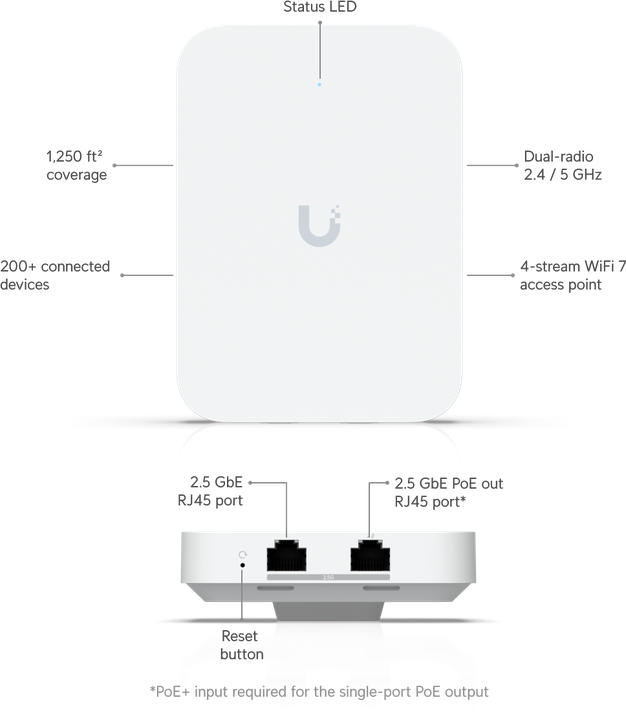
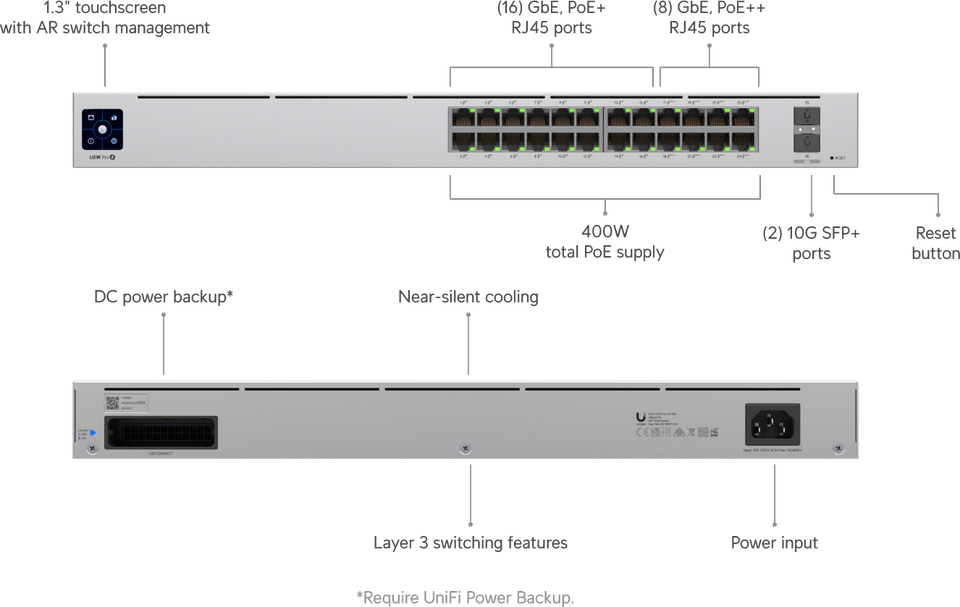
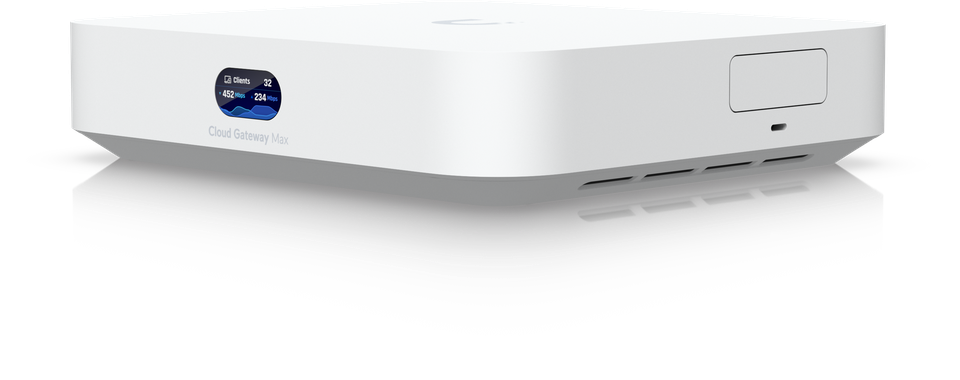
- Mount access points, switches, and gateways. Position APs on ceilings or high walls for optimal coverage, spacing them according to your site survey findings. Install switches in dataskåp with adequate ventilation. Mount the gateway in a secure location with reliable power and upstream internet connectivity. Ensure all devices are firmly secured and positioned for easy access during maintenance.
- Configure devices in Unifi Controller. Adopt each device into the Controller software, assign descriptive names, and organise them by location or function. Create VLANs for corporate, guest, and IoT traffic. Set up SSIDs with strong WPA3 encryption where supported or WPA2 as a minimum. Configure firewall rules and access policies to restrict traffic between VLANs as needed.
- Test network performance and adjust. Use a laptop or mobile device to verify Wi-Fi coverage in all areas. Run speed tests to confirm expected throughput. Check for dead zones or weak signal areas and adjust AP placement or power settings. Verify that devices on different VLANs cannot communicate unless explicitly allowed by policy.
Pro Tip: Create a network diagram showing device locations, cable paths, and VLAN assignments. Store this in a shared location accessible to anyone who might need to troubleshoot or expand the network. It saves hours during future maintenance.
Refer to our 7 steg nätverksinstallation checklista unifi guide and network installation guide ubiquiti unifi for deeper technical details on each step.
Network cabling selection, installation, and management
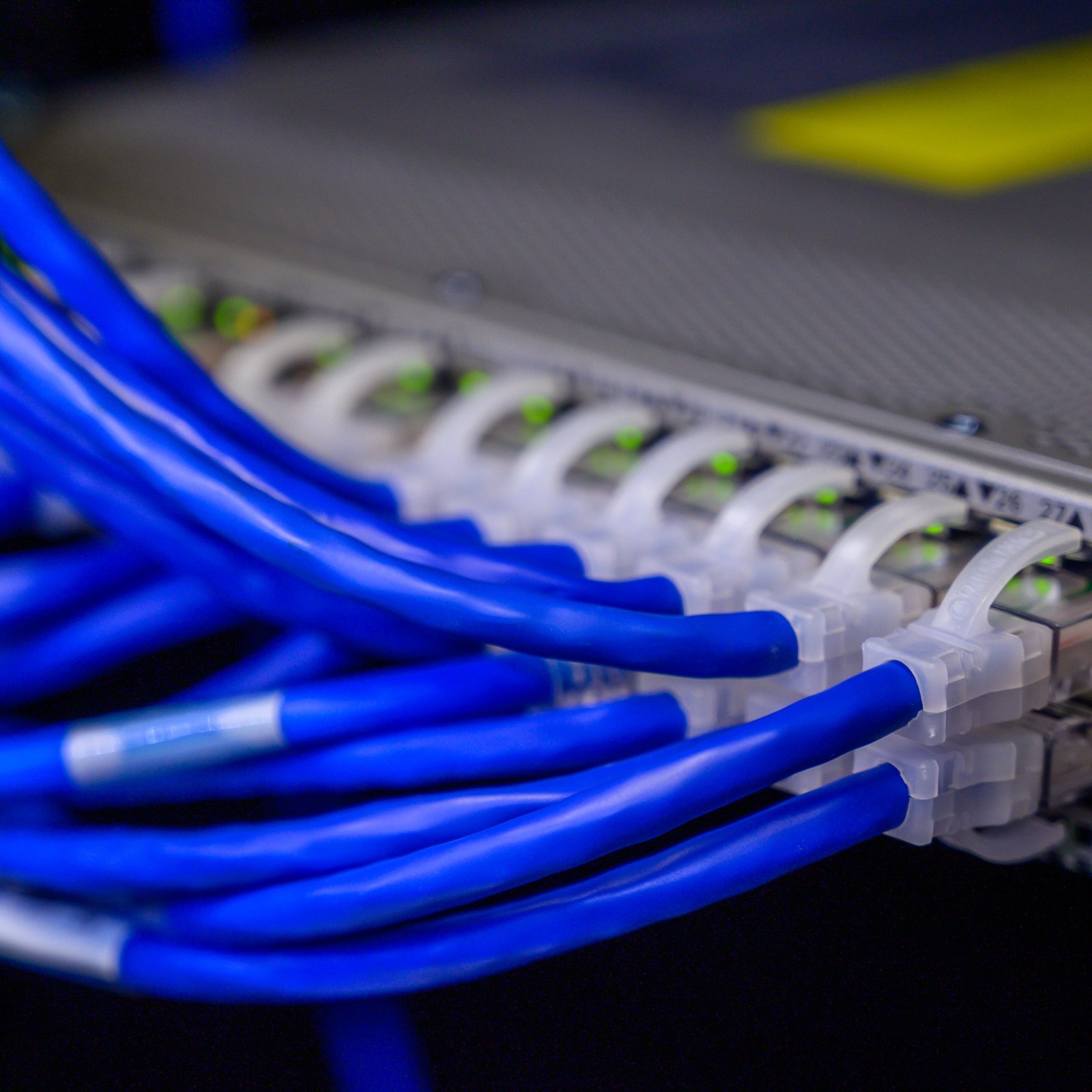
Ethernet cabling forms the backbone of your Unifi network. Choosing the right cable type and installing it professionally determines whether you achieve advertised speeds and avoid frequent service interruptions.
Cat6a is recommended for SMBs aiming for 10Gbps speeds and better shielding against interference. Cat6 supports 1Gbps up to 100 metres and costs less, making it suitable for smaller budgets or offices with modest bandwidth needs. Cat7 offers even higher shielding and supports up to 10Gbps over longer distances, but at premium cost. Most Swedish SMBs find Cat6a the best balance of performance, future-proofing, and price.
| Cable Type | Max Speed | Max Distance | Shielding | Typical Cost |
|---|---|---|---|---|
| Cat6 | 1Gbps | 100m | Minimal | Low |
| Cat6a | 10Gbps | 100m | Good | Medium |
| Cat7 | 10Gbps+ | 100m | Excellent | High |
Structured cable labelling and documentation prevent downtime when issues arise. Label both ends of every cable with matching identifiers, noting source and destination. Maintain a spreadsheet or diagram that maps labels to physical locations and connected devices. This simple practise reduces troubleshooting time from hours to minutes.

Proper dataskåp installation improves cable organisation and protects equipment. Mount patch panels and switches securely, use horizontal cable managers to route cables neatly, and secure bundles with velcro ties instead of zip ties that can pinch cables. Leave slack for future adjustments and ensure adequate airflow to prevent overheating.
Techniques to avoid interference and signal loss:
- Run Ethernet cables at least 30cm away from power lines and fluorescent lights
- Avoid tight bends; maintain a bend radius of at least four times the cable diameter
- Use shielded cable (STP) in high-interference environments like factories
- Terminate cables properly with quality connectors to prevent signal degradation
- Test each cable run with a network tester before connecting devices
Pro Tip: Invest in a cable tester that verifies continuity, identifies mis-wired pairs, and measures length. It pays for itself by catching installation errors before they become operational headaches.
Explore our network cabling checklist and learn about dataskåp i kontorsnätverk to ensure your cabling infrastructure meets professional standards.
Security configuration and VLAN setup for Ubiquiti Unifi networks
Once your hardware and cabling are in place, securing your network through proper configuration is critical. Proper VLAN configuration isolates guest and sensitive traffic preventing security breaches and limiting the impact of compromised devices.
Set up VLANs to separate corporate, guest, and IoT devices into distinct logical networks. Assign corporate workstations and servers to a trusted VLAN with full access to internal resources. Place guest Wi-Fi users on an isolated VLAN that provides internet access only, blocking visibility of internal systems. IoT devices like smart thermostats and printers often have weak security, so quarantine them on a separate VLAN with restricted access.
Control network access through Unifi Controller policies. Define firewall rules that permit or deny traffic between VLANs based on your security requirements. For example, allow printers on the IoT VLAN to communicate with corporate workstations for printing, but block all other IoT-to-corporate traffic. Use MAC address filtering or 802.1X authentication for high-security environments where device identity must be verified before granting access.
Keep firmware updated regularly to address vulnerabilities. Unifi Controller can schedule automatic updates during off-peak hours, ensuring your devices receive security patches without manual intervention. Review release notes for critical fixes and apply them promptly. Outdated firmware exposes your network to known exploits that attackers actively target.
Avoid misconfigurations that cause network conflicts or exposures:
- Double-check VLAN ID assignments to prevent accidental overlap between networks
- Ensure DHCP scopes on each VLAN have unique IP ranges without conflicts
- Test firewall rules after changes to confirm they behave as intended
- Disable unused network ports to reduce attack surface
- Use strong, unique passwords for Unifi Controller and device management interfaces
“A well-segmented network with properly configured VLANs transforms a single breach from a total compromise into a contained incident. It’s your first line of defence.”
For comprehensive guidance on securing your wireless infrastructure, review our secure wifi essentials sme resource.
Common problems and solutions in Ubiquiti Unifi installations
Even experienced installers encounter issues. Recognising common pitfalls and knowing how to resolve them quickly keeps your network running smoothly.
Misuse of cables and incorrect VLAN setups are leading causes of network instability in SMB Unifi installations. Using non-certified or wrong category cables slows network speed and introduces intermittent connectivity problems. Verify that every cable meets the category specification required for your target speed. Replace any cable showing physical damage or failing continuity tests.
APs placed without site survey cause poor Wi-Fi coverage and dead zones. Installers often mount APs based on convenience rather than optimal signal propagation. Conduct a post-installation survey with a Wi-Fi analyser app to identify weak areas. Adjust AP placement, orientation, or transmit power settings to improve coverage. In large spaces, add additional APs rather than turning up power, which can increase interference.
VLAN errors create IP conflicts or expose sensitive data to unauthorised users. Common mistakes include assigning the same VLAN ID to multiple networks, forgetting to tag trunk ports, or misconfiguring DHCP scopes. Use Unifi Controller’s topology view to verify VLAN assignments across devices. Test connectivity between VLANs to confirm isolation works as designed.
Unifi Controller connectivity problems often stem from firewall or configuration mistakes. Ensure the Controller can reach all devices on the management VLAN and that required ports (8080, 8443, 3478) are open. If running Controller on a cloud server, verify that your local network’s firewall permits outbound connections on these ports. Adoption failures usually indicate network reachability issues rather than device defects.
Quick troubleshooting tips:
- Check physical connections first; loose cables cause more problems than complex configs
- Review Controller logs for error messages that pinpoint specific issues
- Isolate problems by testing one device or VLAN at a time
- Reboot devices in sequence: client, AP, switch, gateway, Controller
- Consult Ubiquiti community forums for solutions to obscure error messages
For step-by-step installation guidance that helps prevent these issues, see our how to install unifi network guide and explore benefits unifi controller network for best practises.
Management, monitoring, and ongoing support using Unifi Controller
Installation is just the beginning. Effective ongoing management ensures your network remains reliable, secure, and performant as your business evolves. Centralised network management improves uptime and simplifies troubleshooting for SMBs without dedicated IT teams.
Remote monitoring and alerting provide real-time issue detection. Unifi Controller tracks device status, bandwidth usage, client connections, and anomalies. Configure email or SMS alerts for critical events like device offline, unusual traffic spikes, or failed login attempts. You’ll know about problems before users complain, enabling proactive resolution.
Automated firmware and configuration backups reduce manual tasks and safeguard against data loss. Controller can automatically download and apply firmware updates during scheduled maintenance windows. Regular configuration backups ensure you can restore settings quickly after device failure or accidental misconfiguration. Store backups in a secure, off-site location for disaster recovery.
Performance metrics help identify trends and prevent downtime. Monitor bandwidth utilisation over time to spot capacity constraints before they impact users. Track client device counts and types to plan for growth. Analyse Wi-Fi channel utilisation to detect interference and optimise channel assignments.
NaaS offerings can provide ongoing support and fixed costs, appealing to SMBs that lack in-house expertise or prefer predictable budgeting. Network as a Service bundles hardware, installation, monitoring, maintenance, and support into a single monthly fee. You gain access to professional technicians who handle updates, troubleshooting, and scaling without requiring internal IT staff.
Key management practises:
- Schedule regular firmware updates during off-peak hours to minimise disruption
- Review Controller logs weekly for recurring errors or security events
- Conduct quarterly network audits to verify configurations match security policies
- Train staff on basic troubleshooting steps to resolve simple issues quickly
- Maintain vendor support contracts or NaaS agreements for expert assistance
Pro Tip: Set up a dedicated management VLAN for Controller traffic. This isolates administrative access from user traffic, improving security and making it easier to apply strict access controls.
Learn more about benefits unifi controller network capabilities and explore network as a service benefits to determine if a managed service model suits your business.
Summary comparison and situational recommendations
Choosing the right cabling and installation approach depends on your specific business size, budget, and operational needs. This comparison consolidates your options to guide decision-making.
| Cable Type | Best For | Speed | Cost | Interference Protection |
|---|---|---|---|---|
| Cat6 | Small offices, budget-conscious | 1Gbps | Low | Minimal |
| Cat6a | Growing SMBs, future-proofing | 10Gbps | Medium | Good |
| Cat7 | High-interference environments | 10Gbps+ | High | Excellent |
Prioritise checklist items according to your business size and growth trajectory. A ten-person office can succeed with Cat6 cabling, basic VLAN segmentation, and a single AP. Businesses with 25+ employees benefit from Cat6a cabling, multiple VLANs, professional dataskåp installation, and distributed APs for full coverage. Companies planning rapid expansion should invest in scalable infrastructure from the start to avoid costly retrofits.
Consider NaaS for budget-conscious SMBs wanting fixed cost and support. If capital expenditure is a barrier, or if you lack IT expertise, Network as a Service eliminates upfront hardware costs and shifts operational complexity to specialists. Monthly fees cover equipment, installation, monitoring, updates, and troubleshooting. This model works well for businesses prioritising predictability and freeing internal resources for core operations.
Decide between structured cabling and simpler setups based on complexity. Simple installations with few devices and minimal growth plans can use direct runs with basic labelling. Businesses with ten or more devices, multiple VLANs, or plans for expansion should invest in structured cabling with dataskåp, patch panels, and professional cable management. The upfront cost is offset by reduced troubleshooting time and easier future expansion.
Situational recommendations:
- Small office (5-15 employees): Cat6 cabling, single VLAN plus guest network, one or two APs, cloud-hosted Controller
- Medium business (15-50 employees): Cat6a cabling, multiple VLANs, dataskåp with structured cabling, distributed APs, on-site or cloud Controller
- Growing enterprise (50+ employees): Cat6a or Cat7, comprehensive VLAN segmentation, professional dataskåp, redundant uplinks, on-site Controller with NaaS support option
For detailed cabling guidance, consult our network cabling checklist. If you’re evaluating managed services, explore network as a service benefits to understand how NaaS can simplify operations.
Discover professional Ubiquiti Unifi network solutions
Implementing the checklist outlined in this article ensures your network operates reliably and securely. Yet many Swedish SMBs lack the time or expertise to execute professional installations themselves. Our team at natverkstekniker.se specialises in Ubiquiti Unifi installations tailored to your business needs.

We deliver comprehensive services from structured cabling and dataskåp setup to VLAN configuration and ongoing management. Our certified technicians apply the same rigorous standards described in this checklist, ensuring optimal performance, security, and scalability. Whether you need a complete network build or troubleshooting support, we provide solutions that improve uptime and reduce operational complexity.
Explore our how to install unifi network guide for technical insights, review benefits unifi controller network to understand centralised management, and learn why network cabling matters for long-term reliability.
Ready to build a network you can trust? Boka Tid for a consultation, or contact us directly:
08 400 117 26
kontakt@natverkstekniker.se
Frequently asked questions about Ubiquiti Unifi network installation
How do I know which Ethernet cable is best for my SMB network?
Choose Cat6 if your budget is tight and 1Gbps speeds suffice for current needs. Opt for Cat6a if you anticipate growth or want 10Gbps capability, as it offers better shielding and future-proofing at moderate cost. Cat7 suits high-interference environments or businesses requiring maximum performance, though it costs significantly more.
What are the key VLAN settings to secure a Unifi network?
Create separate VLANs for corporate, guest, and IoT traffic. Assign unique VLAN IDs and IP ranges to each, configure firewall rules to block unwanted inter-VLAN traffic, and tag trunk ports correctly. Ensure DHCP scopes match VLAN subnets and test connectivity to verify isolation works as intended. Review our secure wifi essentials sme guide for detailed setup steps.
How often should I update firmware on Unifi devices?
Apply critical security patches immediately upon release. Schedule routine firmware updates monthly or quarterly during off-peak hours to minimise disruption. Enable automatic updates in Controller if you trust vendor testing, or manually review release notes before applying updates to production environments.
When is it beneficial to use Network as a Service (NaaS) instead of self-managing?
NaaS makes sense if you lack in-house IT expertise, prefer predictable monthly costs over capital expenditure, or want to focus internal resources on core business operations. It’s ideal for SMBs experiencing rapid growth or those seeking guaranteed uptime with professional support. Learn more about network as a service benefits to evaluate if this model suits your needs.
What common errors should I avoid during installation?
Avoid using uncertified or incorrect cable categories, placing APs without a site survey, misconfiguring VLAN IDs or DHCP scopes, and neglecting proper cable labelling. Test all cable runs before connecting devices, verify VLAN isolation after configuration, and document your network topology thoroughly. Following a systematic checklist prevents most installation problems.
Can I expand my Unifi network easily after initial installation?
Yes. Unifi systems are designed for scalability. Add new APs, switches, or devices by adopting them into your existing Controller instance. Ensure your cabling infrastructure and PoE switch capacity accommodate additional devices. Structured cabling and proper documentation make expansion straightforward without disrupting existing operations.